
Facebook Reels are now a much bigger part of Facebook's overall video experience.
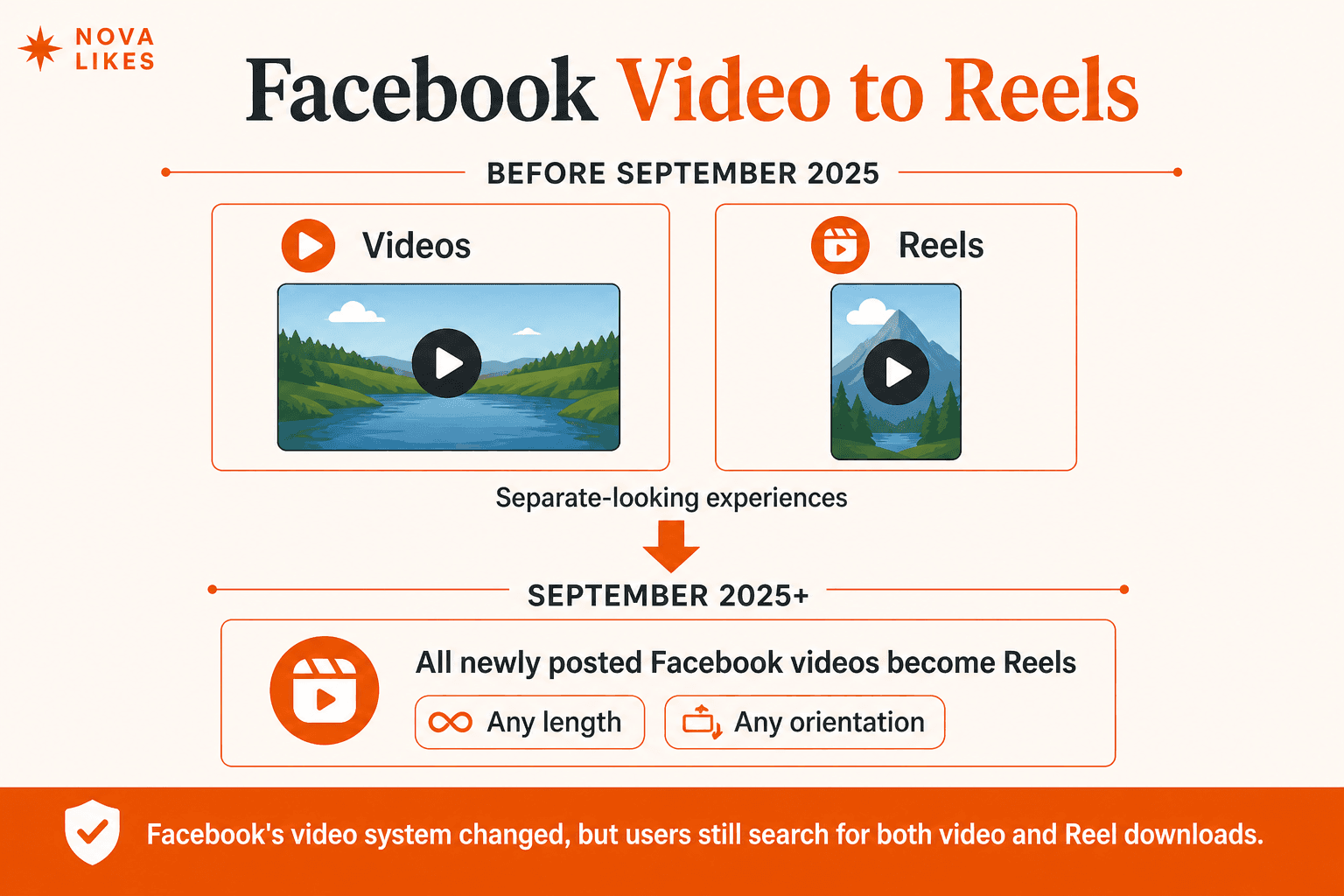
Meta says that since September 2025, all videos posted to Facebook are shared as Reels, regardless of their length or orientation. (Facebook)
That means a video that might previously have appeared as a normal Facebook video may now appear inside the Reels system.
But one question remains the same: how do you save an actual Facebook Reel video file to your phone or computer?
The answer depends on whether the Reel is yours, Facebook provides a native download option, or you're trying to retrieve publicly available Reel media from another public post.
Meta currently lets users download Reels they shared themselves to their device. Download options differ depending on whether the Reel was posted before or after September 2025. (Facebook)
For supported public Reels that are not your own, the Facebook Reels Downloader can check whether Facebook exposes usable media for that public Reel URL.
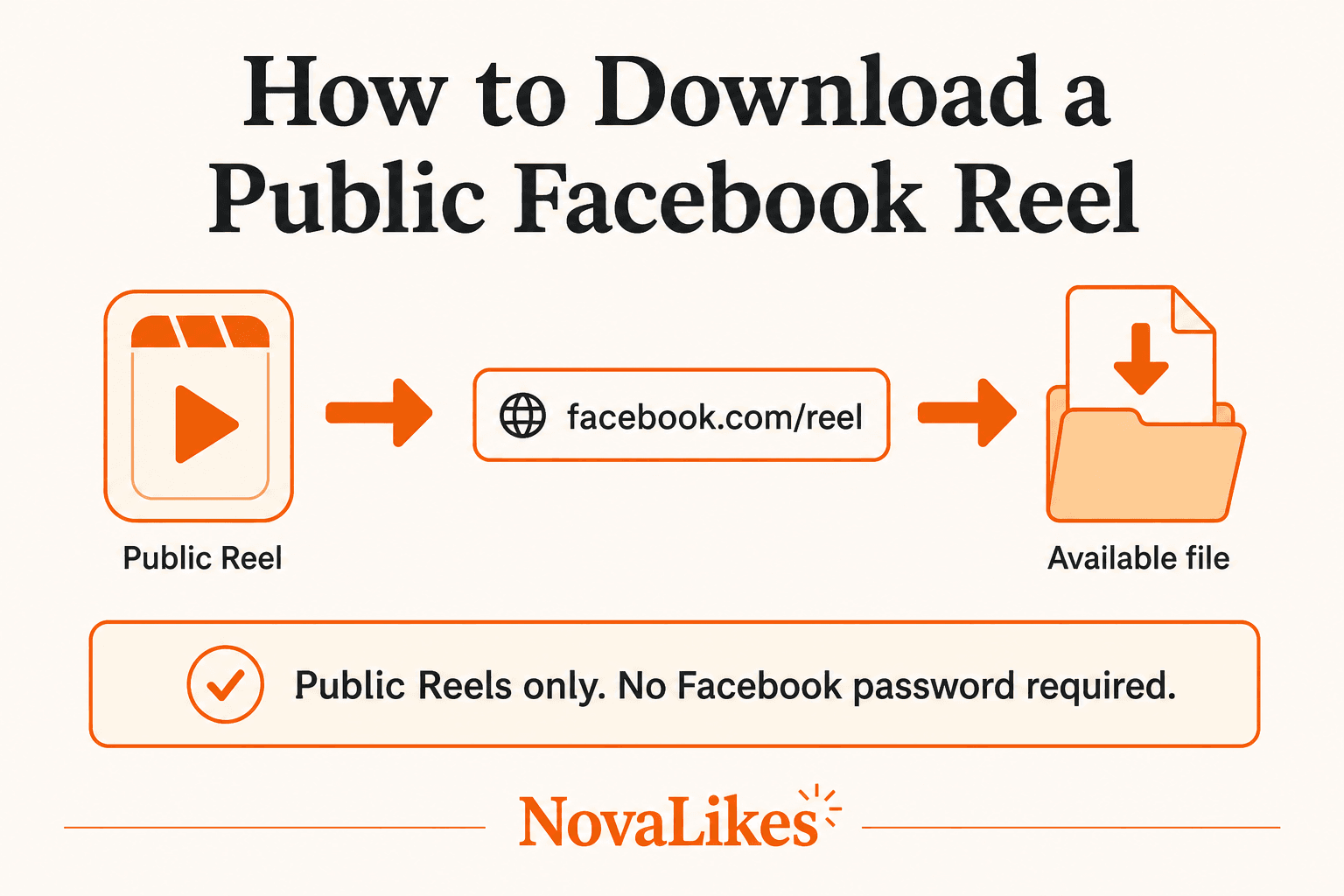
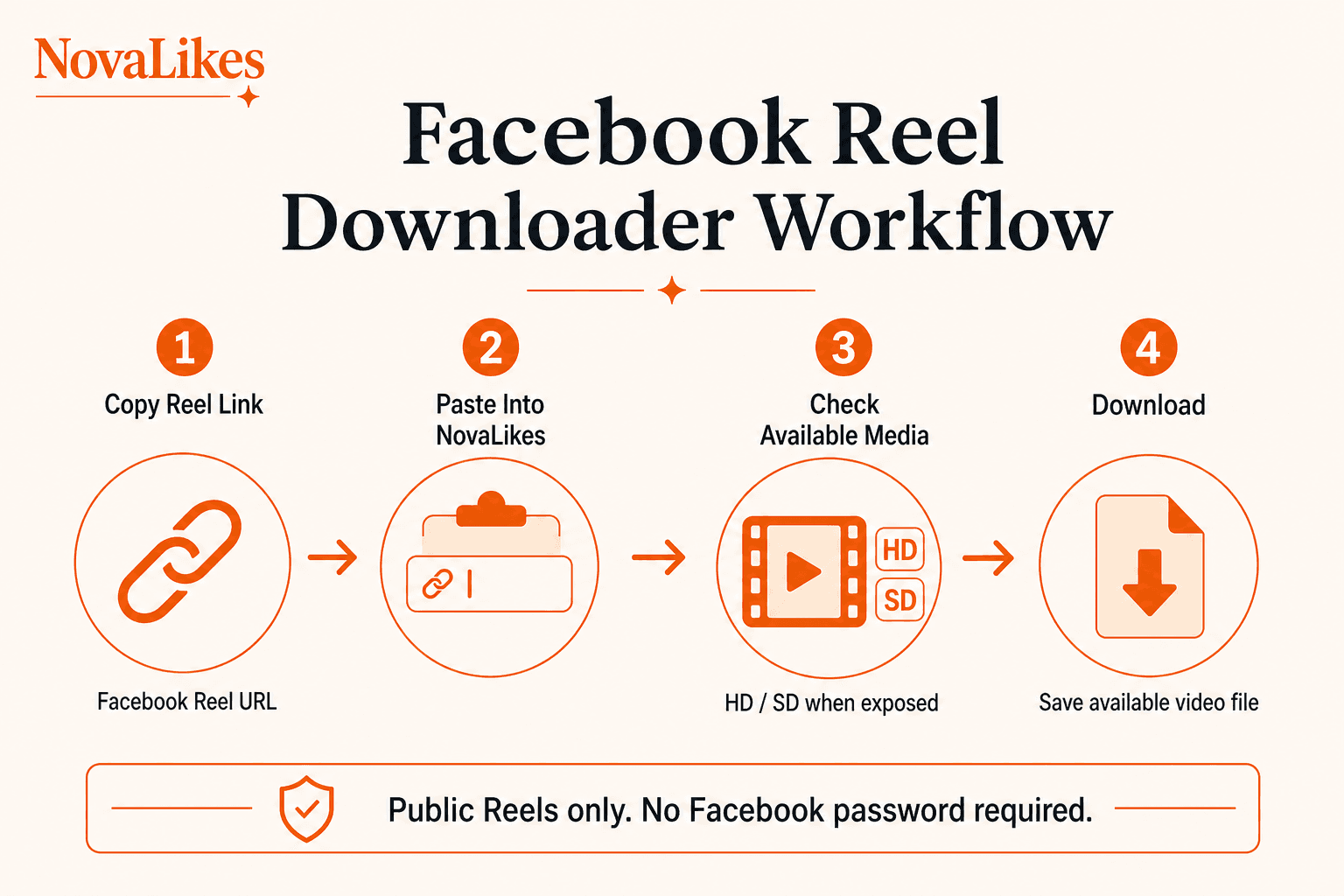
The workflow is: copy a public Facebook Reel link, paste it into NovaLikes, check available media and download the available version.
No Facebook password should be required for this public-media workflow.
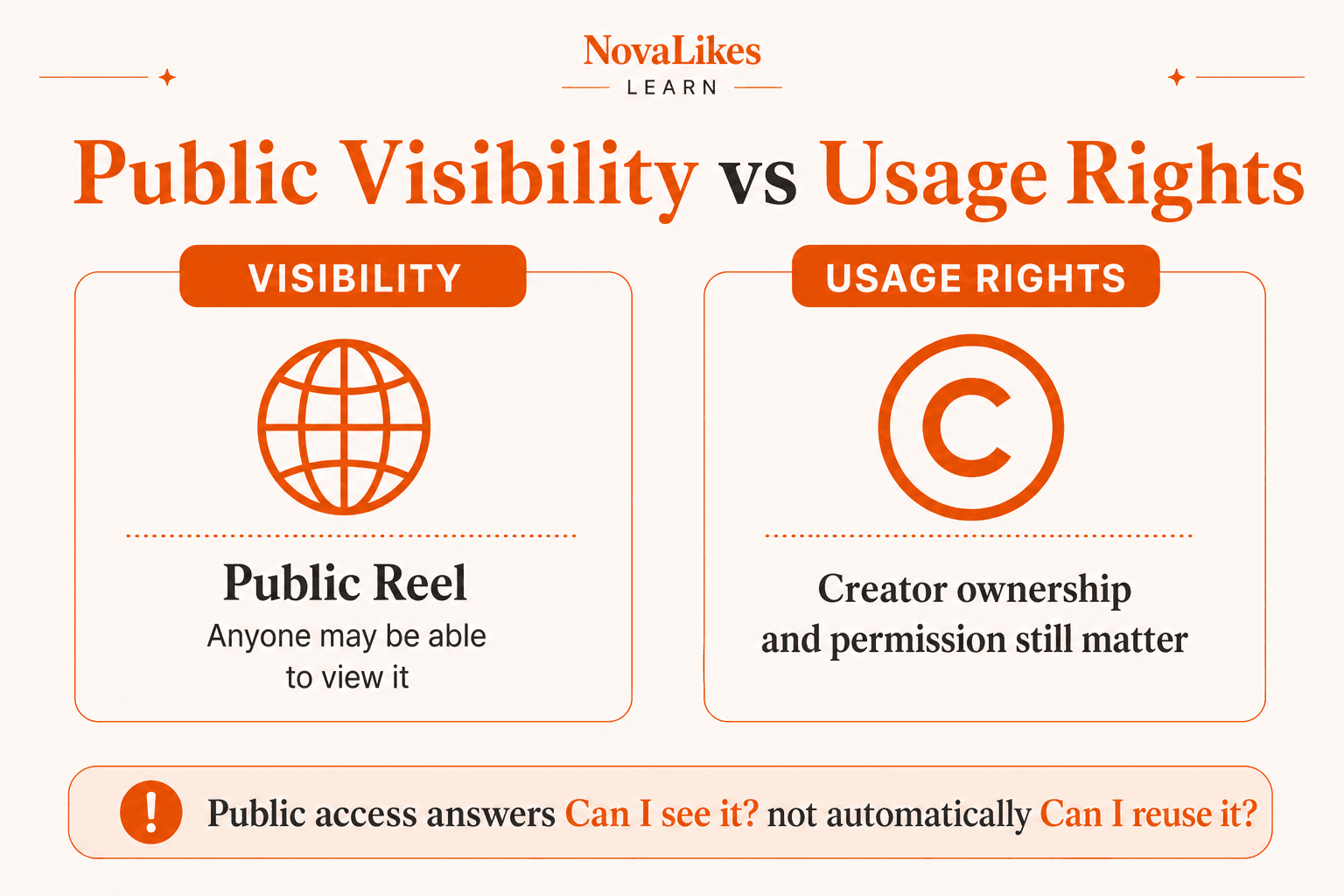
Publicly visible does not mean copyright-free. Facebook still prohibits posting content that infringes other people's intellectual-property rights. (Facebook)
At a glance
- Your own Facebook Reel can use Facebook's native mobile download when available
- Public Reels can be seen by anyone, including people off Facebook
- Restricted Reels should not be treated as a privacy-bypass use case
- NovaLikes works with supported public Facebook Reel URLs when Facebook exposes usable media
- Publicly visible does not mean copyright-free
What Is a Facebook Reel in 2026?
Historically, Facebook had several different video experiences.
There were:
- regular videos,
- short-form Reels,
- LIVE videos,
- and other video placements.
That distinction has become simpler.
Meta says that since September 2025, every video posted to Facebook is shared as a Reel, regardless of video length or orientation. (Facebook)
So in 2026, a vertical 20-second clip can be a Reel, but so can a longer landscape video uploaded through Facebook's normal video workflow.
This is important for users searching for a Facebook video download versus a Facebook Reel download.
The content formats increasingly overlap even though those search intents remain useful to separate.
NovaLikes still uses the URL type to decide which helper to use. A Reel-style path belongs on the Reels downloader, while a watch or videos path belongs on the Facebook Video Downloader.
Our earlier guide on how to download a public Facebook video covers the watch and videos workflow in more detail.
How to Download Your Own Facebook Reel
If the Reel belongs to you, start with Facebook's native option.
Meta currently documents the following process on supported mobile devices:
- Open your Facebook profile.
- Open Reels.
- Choose the Reel you shared.
- Open the Reel options.
- Select Download reel where available.
Meta documents that native download path in its Help Center. (Facebook)
Meta notes that the available download behaviour differs depending on whether the content was posted before or after September 2025. (Facebook)
This should be your first choice for your own Reel.
There is no reason to route users through an external tool when Facebook itself already offers the native function they need.
Can You Download a Facebook Reel on Desktop?
Meta's current Help Center says the native download a Reel you shared feature is not available on computers and points users to the Facebook mobile apps for the supported workflow. (Facebook)
That means your own Reel on mobile should use Facebook's native download option when available.
A web-based public Reel downloader can be useful from a browser or desktop when you have a supported public Reel URL and need the available video file.
Do not claim Facebook's native mobile download feature works identically on desktop if Meta says otherwise.
How to Download a Public Facebook Reel With NovaLikes
For a supported Reel that is publicly available:
Step 1: Open the Facebook Reel
Open the Reel on Facebook.
Make sure the content is genuinely accessible.
If Facebook says the content is unavailable or you do not have permission to view it, then it is not a normal public-downloader use case.
Step 2: Copy the Reel Link
Use Facebook's share or copy-link controls.
You need the Reel's URL. The current NovaLikes Reels tool is for Reel paths, Reel share links and Facebook watch short links that resolve to Reel media.
Step 3: Open NovaLikes Facebook Reels Downloader
Open the Facebook Reels Downloader on NovaLikes.
Step 4: Paste the Reel URL
Paste the supported Facebook Reel URL into the input field.
Step 5: Start the Extraction
NovaLikes checks whether Facebook currently exposes usable media for that public Reel.
Step 6: Choose an Available Version
Depending on the source, Facebook may expose HD, SD or another supported rendition.
Do not assume every Reel has every quality.
Step 7: Download
Choose the available media result and save it to your device.
No Facebook password is required for the NovaLikes public-Reel workflow.
What Is the Difference Between Saving and Downloading a Facebook Reel?
These actions are easy to confuse.
Save Reel
Facebook's own Save feature keeps content available through your Facebook saved-items experience so you can return to it later.
That is basically an in-Facebook bookmark.
Download Reel
A download gives you an actual available video file on your device.
For content you created yourself, Facebook offers a native Reel-download option on supported mobile devices. (Facebook)
For other supported public Reels, a downloader may retrieve media Facebook publicly exposes.
So Save keeps it inside Facebook, while Download saves an actual media file.
| Action | What it does |
|---|---|
| Save Reel | Later viewing inside Facebook |
| Download Reel | An available file on your device |
| Your own Reel on mobile | Facebook native download when available |
| Public Reel URL | NovaLikes can check exposed media |
Can You Download Someone Else's Public Facebook Reel?
Technically, a public Reel downloader can attempt to retrieve media Facebook exposes for that public URL.
But two separate questions exist.
Can You Retrieve the File?
This is a technical question.
Can You Reuse the File?
This is a copyright and permission question.
Facebook's Community Guidelines and intellectual-property rules say users should only post content they created themselves or have the right to share. (Facebook)
Therefore publicly visible is not the same as free to republish.
A creator making a Reel public allows people to see it. That does not automatically transfer ownership.
Public Does Not Mean Copyright-Free
Facebook's audience selector defines Public as content anyone can see, including people off Facebook. (Facebook)
That tells you about visibility.
It does not tell you that the media is public domain, royalty-free, commercially reusable or owned by the downloader.
Facebook's intellectual-property rules prohibit posting content that violates another person's copyright or trademark rights. (Facebook)
Meta also advises users that the safest way to avoid copyright infringement is to post content they created themselves. (Facebook)
So if you download someone else's Reel, do not assume you can simply repost it as your own.
Can You Download a Private Facebook Reel?
No. NovaLikes should not be used as a private-content bypass.
Facebook lets publishers control who can see content through audience settings such as Public, Friends and Only Me. (Facebook)
If a Reel requires account-specific permission or is otherwise restricted, the NovaLikes public downloader should not claim to bypass access, unlock it or download it secretly.
Do not treat the tool as a private Facebook Reel downloader, a way to unlock hidden Reels, a Friends-only Reel downloader or a Facebook privacy bypass.
The live tool returns an error for private, deleted or login-only Reels rather than inventing a file.
Can You Download Reels From a Private Facebook Group?
Treat private-group media as restricted content.
Facebook's audience model exists to limit who can access different pieces of content. (Facebook)
The NovaLikes Reels Downloader should work with supported public Reel URLs rather than authenticated private-group media.
Do not ask users to paste Facebook session cookies, login credentials or exported browser authentication just to bypass group access.
Can You Download Reels Without a Facebook Account?
If Facebook exposes the Reel publicly and the NovaLikes extractor can retrieve the media without authentication, the user should not need to provide a Facebook password.
Facebook itself says Public content can be visible to people off Facebook. (Facebook)
But do not turn that into a promise that every Facebook Reel can always be downloaded without login.
Facebook can change web presentation, redirects, media URLs and unauthenticated-access behaviour.
The accurate product statement is: NovaLikes does not require your Facebook password for supported public Reel downloads.
Do You Need to Install Anything?
No. The normal NovaLikes workflow is web-based.
Use a browser, a Facebook Reel URL, the NovaLikes downloader and the available download.
No browser extension, Windows program, Android APK or iPhone app is required for the current tool.
Do not advertise an app that does not exist.
Does It Work on Mobile?
Yes, through the responsive NovaLikes web interface.
On mobile, open the Facebook Reel, copy its URL, open the NovaLikes tool, paste the link, retrieve the available media and save it through the browser or device download flow.
Where the file ends up can vary by browser, Android or iOS version and download settings.
Do not promise that every file appears in Gallery instantly. That is device-dependent.
Can You Download Facebook Reels in HD?
When Facebook exposes a usable HD media version, NovaLikes can offer it.
But do not guarantee HD for every Reel.
Some sources may only expose SD, one available rendition or no usable media at all.
Correct wording is HD or SD when available, not that every Facebook Reel downloads in Full HD.
Can You Download Facebook Reels in 1080p?
Only if a supported 1080p rendition is actually available and the tool retrieves it.
Do not add a 1080p guaranteed claim unless NovaLikes has verified that across the supported Reel sources.
The tool should label what it actually gets, not what sounds better for SEO.
Can You Download Facebook Reels in 4K?
Same rule.
Do not market the current tool as a 4K Facebook Reels Downloader unless the actual source and extractor reliably support 4K.
If Facebook only exposes SD or HD, show SD or HD.
A downloader does not magically create higher-resolution source media.
Why Is Only SD Available?
Possible reasons include:
- the source upload quality,
- the rendition Facebook currently exposes,
- or the specific media available through that public page.
If the only legitimate result is SD, show SD.
Do not take an SD file, upscale it and label it Original HD. That would be misleading.
Does Downloading Improve Reel Quality?
No.
A downloader retrieves available media.
It should not be described as an AI enhancer, upscaler, restoration system or quality booster unless NovaLikes adds and verifies such a feature separately.
If the source is compressed, the downloaded file remains based on the available source.
Can You Remove the Facebook Reel Watermark?
Do not expect that.
The NovaLikes Facebook Reels Downloader should retrieve the available video.
If that video contains logos, captions, creator branding or other embedded marks, the downloader should not claim to remove them automatically.
Download Reel and Remove Watermark are different products.
Does Facebook Put a Watermark on Downloaded Reels?
The exact output of Facebook's own native Reel-download feature can depend on Facebook's current implementation and the content.
The Meta sources reviewed here confirm that users can download Reels they shared but do not give us enough information to make one universal promise about every possible watermark, audio or output condition. (Facebook)
So do not add unsupported claims such as Facebook native downloads always have no watermark, or Facebook always adds a watermark.
Describe only what has been verified.
What Happens to Music in a Downloaded Facebook Reel?
Be careful here too.
Facebook's Reels can include music, and Meta says its music use is governed by agreements with artists, songwriters and rights holders. (Facebook)
A Reel being playable on Facebook does not guarantee that music rights allow every external reuse, commercial redistribution or re-upload elsewhere.
A downloader should retrieve available media where supported. It should not imply that the user has acquired a license to the soundtrack.
Can You Repost a Downloaded Facebook Reel?
Only when you have a legitimate right or permission to do so.
Meta advises users to share only content they have taken or have the right to share. (Facebook)
Meta also states Facebook's rules prohibit intellectual-property infringement. (Facebook)
Possible legitimate cases include:
- you made the Reel,
- you manage the business that owns it,
- the creator gave you permission,
- or the content license permits reuse.
Downloading is not a copyright license.
Can You Download Your Business Page's Reels?
If the Reel belongs to a Facebook profile or Page you legitimately manage, first check whether Facebook's native download option is available for that Reel.
Meta supports downloading Reels you shared yourself. (Facebook)
That can be useful for archiving, re-editing, cross-channel workflows where rights allow or keeping company-owned media.
Use the native option when it solves the problem.
Use NovaLikes when you're working with a supported public URL and need the publicly available rendition.
Why Doesn't My Facebook Reel Download?
Several possible reasons exist.
The Reel may no longer be public, have been deleted, be restricted, use a malformed URL, not expose usable media, or Facebook may have changed how the content is delivered.
The correct NovaLikes behaviour is to return a useful error, not display a fake progress bar, generate an unrelated file or pretend the download succeeded.
What Does Media Not Exposed Mean?
This means the tool can identify the request or page context but cannot obtain a usable public Reel media source.
That can happen even when the page itself exists.
Page visibility and downloadable media exposure are not always the same technical thing.
If this happens, check the original Reel, confirm it is public, verify the URL and retry later if appropriate.
Do not ask the user to provide Facebook credentials, browser cookies or session tokens to force access.
Can the Reel Become Unavailable Later?
Yes.
Facebook's audience system lets creators control who can see their posts. (Facebook)
A creator can also delete content.
So a Reel that was public when you saved its link may not remain public forever.
The downloader should respect the Reel's current accessibility, not the accessibility it had last week.
Do Facebook Watch Short Links Work for Facebook Reels?
NovaLikes' Facebook extractor already supports valid Facebook watch short links that resolve to supported Reel media.
If a short Facebook URL resolves to a supported public Facebook Reel or media page, the tool can continue through its normal extraction flow.
If it resolves somewhere unsupported, return an error.
Do not let a short Facebook URL turn the downloader into a generic open redirect or fetch-anything proxy.
Why Does URL Validation Matter?
Because a downloader takes URLs from users.
A secure implementation should not allow somebody to submit internal server addresses, localhost, private network IPs, cloud metadata endpoints or arbitrary external hosts and have your server fetch them.
NovaLikes' existing tool architecture already uses host allowlisting, redirect validation, timeouts, size limits, signed download tokens and content-type enforcement.
Users should paste a supported Facebook Reel URL, not Google Drive, YouTube, Dropbox, random file hosts or Instagram links.
Facebook Reels Downloader vs Facebook Video Downloader
This is a particularly interesting distinction after Facebook's September 2025 update.
Meta says all newly posted videos are now Reels. (Facebook)
So technically, the content categories overlap much more than before.
But user intent still differs.
Someone searches Facebook Reel Downloader because the content appeared in Reels. Someone else searches Facebook Video Downloader because they think of it as a Facebook video.
NovaLikes can keep both dedicated landing pages for clear search intent, clear UX and existing SEO structure.
Just don't write content implying Facebook still has exactly the same old video-versus-Reel system it had years ago.
Why Keep Both NovaLikes Tools if All Videos Are Reels?
Because search behaviour and user terminology don't instantly change when a platform changes its product architecture.
Users still search Facebook video downloader and Facebook Reels downloader.
The two pages can help users reach the right utility from the terminology they already use.
The live tools still split by URL type: Reel paths and Reel share links on this page, watch and videos links on the video downloader.
Their content should acknowledge Facebook's current structure rather than contradict it.
Facebook Reel vs Instagram Reel
Don't mix them.
They are both Meta products, but Facebook Reels and Instagram Reels have separate platform URLs, settings and downloader flows.
For example, Instagram currently has its own native public-Reel download settings and creator controls. (Facebook)
NovaLikes' Facebook Reels Downloader should remain Facebook-specific.
Do not paste an Instagram link into this Facebook tool.
Can You Download an Instagram Reel With the Facebook Tool?
No.
Use the dedicated Instagram video downloader for supported Instagram public media.
The Facebook Reels Downloader should reject unsupported Instagram hosts.
This keeps tool intent, security and error messages clean.
Can You Download Facebook LIVE as a Reel?
Facebook's post-2025 video architecture increasingly uses Reels for uploaded video, but an active LIVE stream is still not the same as an ordinary completed public Reel file.
Do not advertise NovaLikes' Reels Downloader as a LIVE recorder or a way to download ongoing Facebook livestreams.
If an ended LIVE later exists as supported public video media, that is a different use case.
Can You Download Facebook Stories With the Reel Downloader?
No claim should be made.
Stories and Reels are different experiences.
The current NovaLikes Facebook Reels Downloader should not become Reels plus Stories plus LIVE plus private-group video plus every Meta format just for marketing.
Keep it focused.
Can You Download Deleted Facebook Reels?
No.
Do not describe NovaLikes as a deleted-content archive, Facebook cache, wayback system or recovery service.
If the Reel is deleted and no public supported media remains, the tool should fail. That is the correct result.
Can You Download Reels Removed for Copyright?
Do not position the tool as a way around Meta's copyright enforcement.
Facebook provides copyright enforcement and reporting systems for rights holders. (Facebook)
If Facebook removes media or makes it unavailable, NovaLikes should not claim it can resurrect the Reel.
Does Facebook Notify the Creator When You Download a Reel?
For your own Reel, Meta explicitly provides a download feature. (Facebook)
For third-party public-media retrieval, the official sources reviewed here do not establish a universal creator notification that NovaLikes can reliably promise either way.
So avoid a claim that the creator will never know. That privacy promise adds little value and could become wrong.
Better wording: no Facebook password is required, and the NovaLikes tool checks publicly available media.
Is a Facebook Reels Downloader Anonymous?
Avoid the word anonymous as an absolute promise.
A web tool still uses normal browser requests, your server, security logging and internet infrastructure.
The real user benefit is: no Facebook login or password is required for supported public Reel URLs. That is enough.
Does Downloading a Reel Follow the Creator?
No.
The NovaLikes downloader should be read-only.
It should not follow, Like, comment, share or message the creator.
It only processes the submitted public media URL.
Does Downloading a Reel Increase Its Views?
Don't promise that.
Meta provides separate metrics for Reel views, and merely retrieving a media file through a third-party public-media workflow should not be marketed as giving the creator another Reel view or boosting their engagement.
A downloader is not an engagement service. Keep it utility-only.
Is the Facebook Reels Downloader Free?
NovaLikes' Reels Downloader is part of the site's free tools.
There is no paid credit pack, API key, free trial, account signup or premium HD unlock for the normal web workflow.
The current value proposition is simpler: paste a public Reel link and retrieve available media.
Do You Need a NovaLikes Account?
No account or login system is required for the current free-tool workflow.
NovaLikes already operates guest-facing public tools. Keep the article aligned with the actual tool.
How Fast Is the Download?
Do not promise instant downloads or a fixed number of seconds unless you measure and guarantee that.
Processing time can depend on Facebook response, redirects, media size, network conditions and server load.
The tool checks the URL and returns available media when it can retrieve it. That is factual.
Can You Bulk Download Facebook Reels?
The current tool handles one Reel URL at a time.
Do not expect a bulk Reel downloader, CSV upload, 100-Reel queue or creator-profile archive.
How to Download a Facebook Reel on iPhone
There are two situations.
If It's Your Own Reel
Use Facebook's native mobile Reel-download option when available. Meta specifically documents this on supported mobile apps. (Facebook)
If It's a Supported Public Reel
Copy the Reel URL, open the NovaLikes Facebook Reels Downloader, paste the URL, retrieve the available media, then use Safari or iOS download handling.
Where the file appears depends on current iOS and browser settings.
How to Download a Facebook Reel on Android
Same principle.
For your own Reel, check Facebook's native Download reel option. (Facebook)
For another supported public Reel, copy the URL, open NovaLikes, paste the link and download the available media through the browser.
Do not tell users to install an APK. The web tool is enough.
How to Download a Facebook Reel on PC
Meta's native own-Reel download feature is currently documented as mobile rather than computer functionality. (Facebook)
For a supported public Reel on desktop, copy the Facebook Reel URL, open the NovaLikes Facebook Reels Downloader, paste it, retrieve the available version, then save it through your browser.
No Facebook password should be required.
When Should You Use Facebook's Native Download Instead?
Use Facebook's native option when the Reel is yours and Facebook shows the download function.
That keeps the process simple and first-party.
Use NovaLikes when you have a supported publicly accessible Reel URL, need the available media file, and Facebook's normal interface isn't offering the device-download workflow you need.
This article should not pretend NovaLikes is always better than Facebook's own feature. Use the right tool for the right situation.
Download a Public Facebook Reel
This article has direct tool intent, so the next step is the free Reels Downloader rather than a Facebook follower, Page Like or Post Like package.
How to Download a Public Facebook Reel: Simple Version
Use this workflow:
- Open the public Facebook Reel.
- Copy its link.
- Open the NovaLikes Facebook Reels Downloader.
- Paste the URL.
- Check the available public media.
- Choose HD or SD when available.
- Download.
If the Reel is private, deleted, restricted, unsupported, or Facebook does not expose usable media, the tool should return a clear error.
And if the Reel belongs to you, remember that Facebook itself now provides a native download option for Reels you've shared on supported mobile devices. (Facebook)
Key Takeaways
- Since September 2025, Meta says all videos posted to Facebook are shared as Reels regardless of length or orientation.
- Facebook lets users download Reels they shared themselves to their device, with different behaviour depending on whether the content was posted before or after September 2025.
- Meta currently documents its own-Reel download feature as available on mobile rather than computers.
- Facebook's Public audience means anyone, including people off Facebook, can see the content.
- Facebook also lets publishers use more restricted audiences such as Friends or Only Me, so a public Reel downloader should not be represented as a privacy bypass.
- NovaLikes should offer HD or SD only when those media versions are actually exposed.
- No Facebook password is required for supported public-Reel downloads through NovaLikes.
- Publicly visible does not mean copyright-free; Facebook prohibits intellectual-property infringement.
- Downloading someone else's Reel and having permission to republish it are separate issues.
Frequently asked questions
How do I download a Facebook Reel?
If it's your own Reel, Facebook currently provides a native Download reel option on supported mobile devices. For a supported public Reel, you can copy the Reel URL and use the NovaLikes Facebook Reels Downloader to check the available media.
Can I download someone else's public Facebook Reel?
A public downloader can attempt to retrieve media Facebook exposes for the public URL, but downloading does not automatically give you copyright permission to republish the Reel. Facebook says users should only post content they created or have the right to share.
Can I download a private Facebook Reel?
NovaLikes should only process supported public Reel media. Facebook uses audience controls such as Public, Friends and Only Me, and the downloader should not be presented as a way to bypass those restrictions.
Can I download Facebook Reels without logging in?
For supported public media, NovaLikes does not require your Facebook password. Facebook says Public content can be visible even to people off Facebook.
Can I download Facebook Reels in HD?
When Facebook exposes an HD media rendition and the extractor supports it, NovaLikes can show HD. Do not guarantee HD for every Reel.
Can I download my own Facebook Reel on PC?
Meta currently says its native own-Reel download feature isn't available on computers and documents mobile-app workflows instead.
Are all Facebook videos now Reels?
For videos posted from September 2025 onward, Meta says all videos posted to Facebook are shared as Reels regardless of length or orientation.
Can I repost a Reel after downloading it?
Only if you have the right to do so. Facebook prohibits content that infringes another person's intellectual-property rights.
Why won't a Facebook Reel download?
It may be private, deleted, unsupported, malformed, unavailable, or Facebook may not expose usable media for that Reel. The tool should return an honest error rather than fabricate a file.
Does NovaLikes require my Facebook password?
No. The public Facebook Reels Downloader workflow does not require your Facebook password.
Related guides
Facebook
How to Download a Public Facebook Video
Facebook makes it easy to watch videos. Saving one as an actual file on your device is a different question.
Facebook
Facebook Followers vs Page Likes vs Post Likes: What’s the Difference?
Facebook uses several similar-looking terms around Pages and posts: Followers, Page Likes and Post Likes.
Facebook
How Facebook Page Reach Works in 2026
A Facebook Page can have thousands of followers without every post reaching thousands of people.
Download a Public Facebook Reel
Paste a supported public Facebook Reel link to check the available media options. HD or SD may be shown depending on what Facebook exposes for the source.
Open Facebook Reels Downloader