
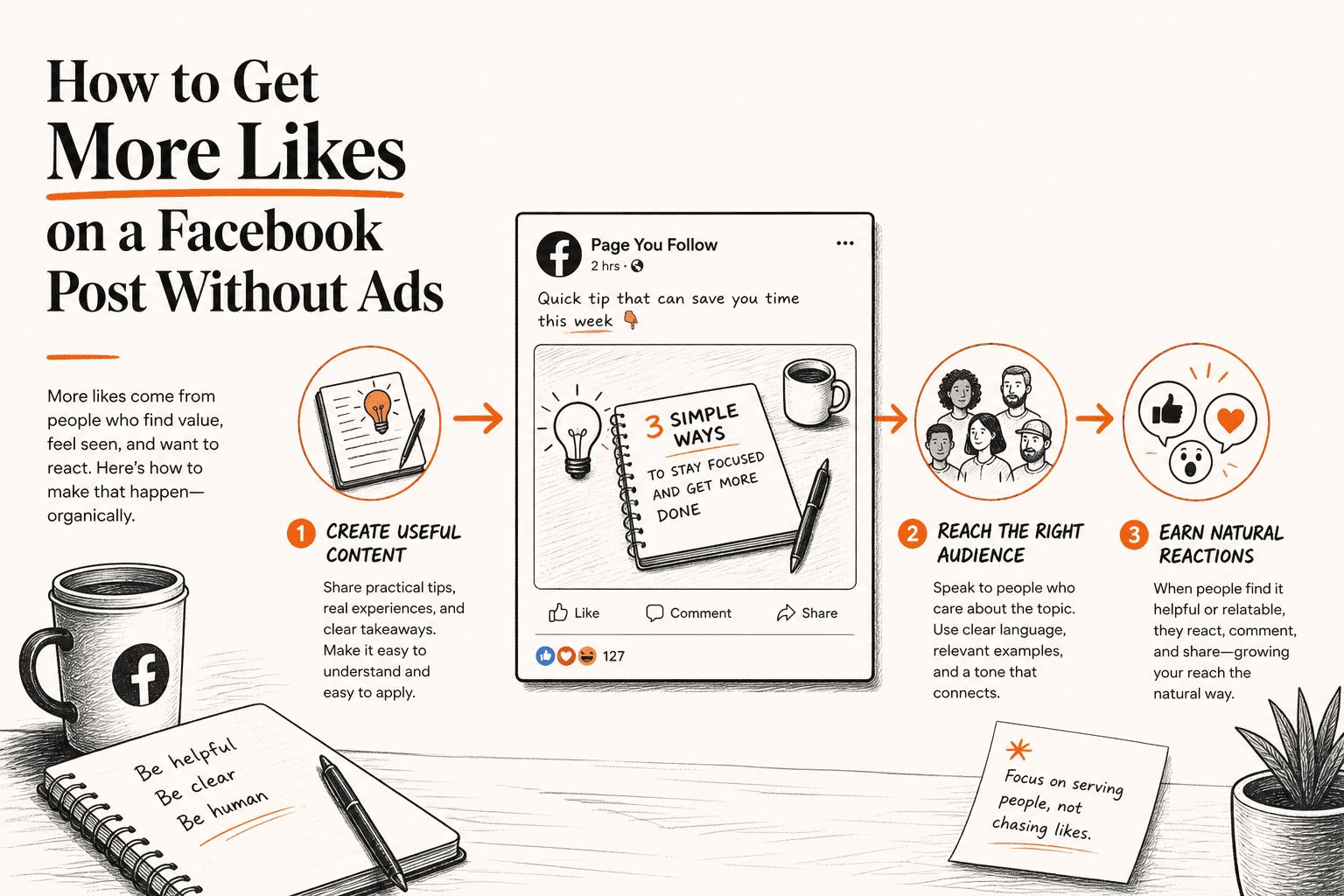
Getting more Likes on a Facebook post without paying for ads starts with understanding what a Like actually represents.
A Like is one form of reaction to an individual piece of content.
It is not the same thing as:
- a Page follower,
- a Page Like,
- post reach,
- an impression,
- or a business result.
Someone can see a Facebook post and never press Like.
Another person may react with Love, Haha or another reaction instead.
Someone else might comment or share.
So if your post gets 5,000 views or reaches thousands of people but receives relatively few Likes, that does not automatically mean Facebook is suppressing the Page.
It means viewing the content and pressing Like are separate actions.
Facebook Page Insights lets Page managers compare post reach and engagement, making it more useful to evaluate Likes alongside other metrics rather than in isolation. (Facebook)
The goal should therefore not be “How do I force people to Like this?”
A better question is:
“What would make the right audience genuinely want to react to this post?”
Meta's own guidance says improving reach begins with posting content your audience wants to see, while its Page engagement guidance recommends using Insights, adjusting posting frequency and responding to people. (Facebook)
At a glance
- Choose a topic the audience actually cares about
- Present it clearly
- Use an appropriate visual or format
- Make the first part of the post worth stopping for
- Publish when your own audience is likely to be active
- Respond to genuine interaction
- Review Insights
- Create better follow-up posts
1. Start With a Topic People Actually Care About
A polished graphic cannot save a topic nobody cares about.
Imagine a roofing company publishes “We are the best roofing company. Call today.”
That is primarily an advertisement.
Now compare: “3 roof problems that often appear after heavy rain.”
The second post gives homeowners a reason to stop.
It connects the business with a problem the intended audience already understands.
The same principle works across industries.
- A restaurant could post how it makes one signature dish.
- A dentist could ask when tooth sensitivity needs attention.
- A real estate agent could cover three things first-time buyers overlook during a viewing.
- An ecommerce brand could explain how to choose between two versions of the same product.
Meta's current reach guidance specifically tells businesses to improve post quality and publish content their audience wants to see. (Facebook)
Your first organic Like strategy is therefore not a hashtag trick.
It is better topic selection.
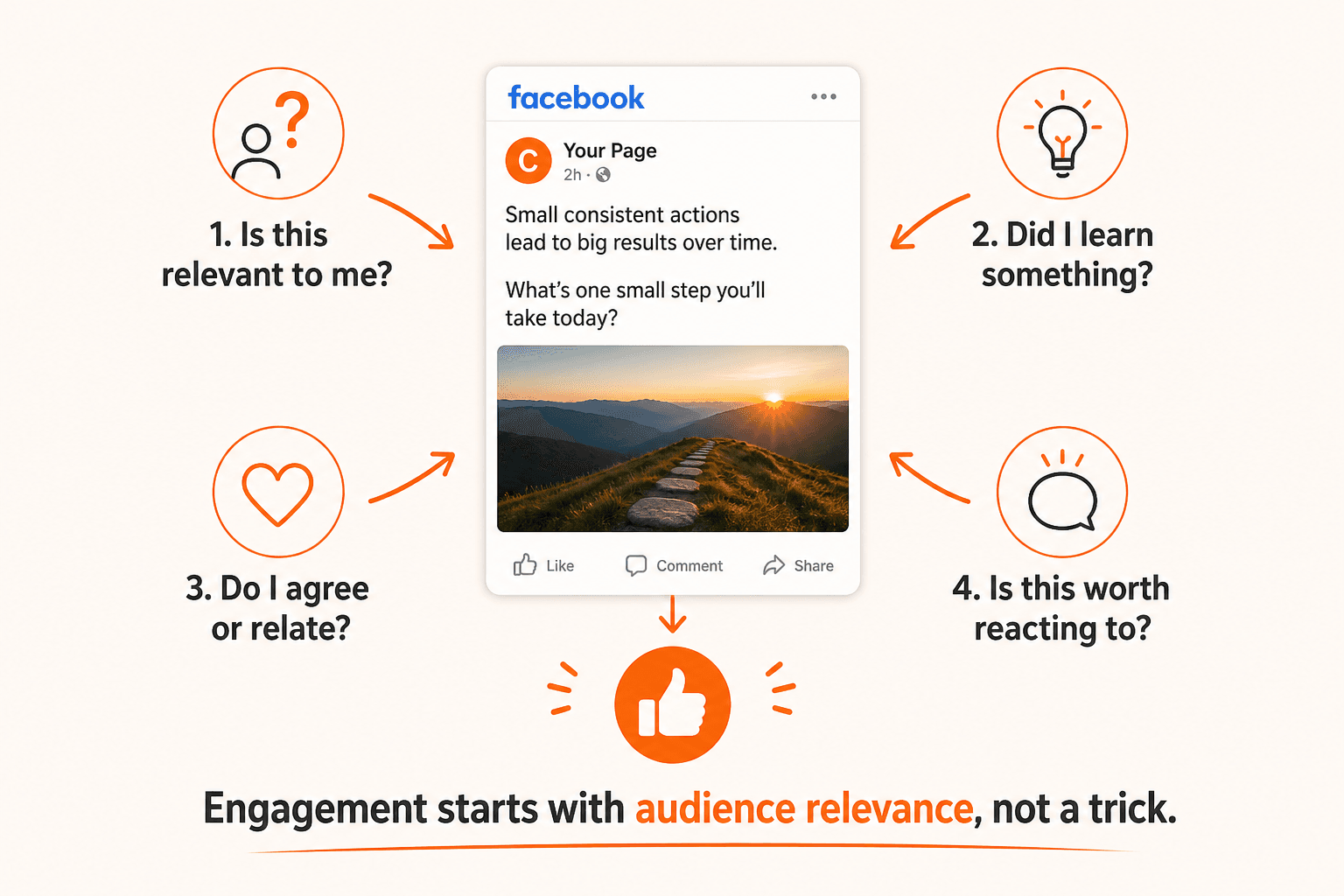
2. Give the Post One Clear Purpose
Posts often become weak because they try to do everything.
One post tries to:
- sell a service,
- tell the company's history,
- announce a discount,
- ask a question,
- promote the website,
- and explain four products.
That creates noise.
Instead, decide what the post is mainly doing.
Is it:
- educating?
- showing?
- explaining?
- asking?
- announcing?
- entertaining?
- comparing?
- telling a story?
One clear purpose makes the content easier to understand.
Meta's current Page-post best practices emphasize clear messaging, clean presentation and concise, recognizable creative rather than cluttered posts. (Facebook)
3. Improve the First Sentence
On Facebook, people are usually scrolling.
Your opening needs to tell them quickly why the post is relevant.
Compare:
“Happy Monday everyone! We hope you are all having a fantastic start to the week.”
with:
“Your Facebook Page has 5,000 followers. Why did this post reach only 900 people?”
The second opening immediately identifies the problem.
That doesn't mean every post needs clickbait.
In fact, Meta advises publishers to use headlines and text that set appropriate expectations rather than misleading people. (Facebook)
A good opening creates curiosity without lying about what follows.
Don't Confuse a Strong Hook With Clickbait
A strong hook:
“Why can Facebook reach be lower than your follower count?”
The post then explains it.
Clickbait:
“Facebook does not want you to know THIS secret!”
followed by ordinary information.
The first creates a clear expectation.
The second exaggerates the payoff.
Meta specifically provides guidance against clickbait and recommends setting accurate expectations about what the user is about to consume. (Facebook)
The lesson:
Make the opening interesting, but earn the interest.
4. Use Visuals That Help the Post
Facebook is visual, but “add an image” is not enough advice.
The visual should reinforce the idea.
If the post explains Facebook Reach versus Impressions, a useful graphic could show three people reached versus five total content appearances.
If the post shows a renovation, a before/after visual makes sense.
If you're explaining how a product works, a demonstration may make sense.
Meta's current Page-post guidance recommends clean, consistent creative, recognizable imagery and concise visual communication. (Facebook)
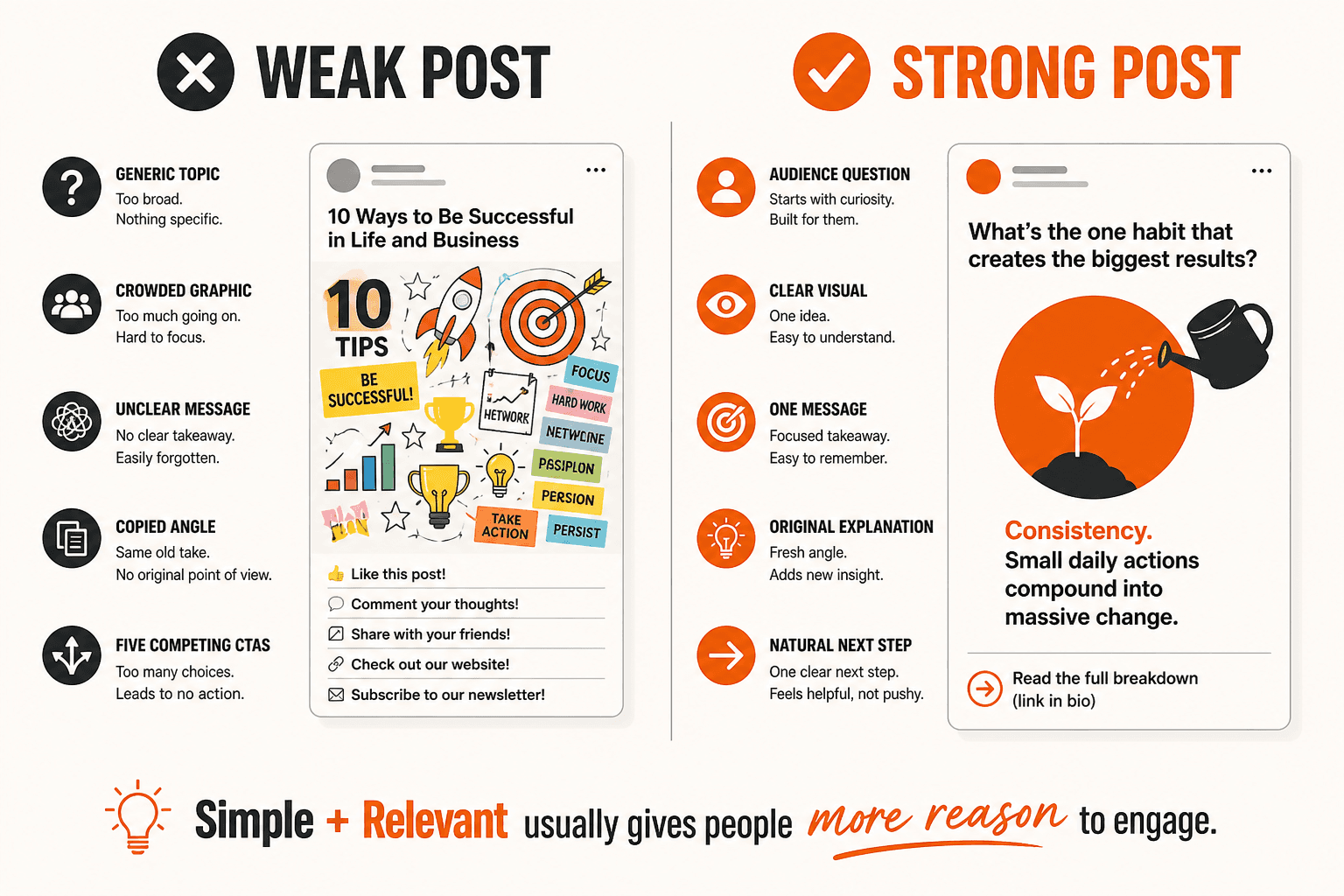
Avoid creating a graphic with:
- a tiny logo,
- twenty lines of text,
- six stock-photo people,
- five icons,
- three CTAs,
- and a phone number in every corner.
The image should help the user understand the post faster.
5. Use Original Content Where Possible
If your Facebook strategy is built entirely on downloading other people's successful content and reposting it, you are building weak differentiation.
Meta's current guidance around Facebook content increasingly emphasizes original material; its fake-engagement/content-quality documentation notes reduced distribution can apply to accounts repeatedly sharing unoriginal content. (Facebook)
Original does not necessarily mean expensive production.
It can be:
- your photograph,
- your explanation,
- your opinion,
- your customer question,
- your demonstration,
- your data,
- your example,
- your before-and-after,
- your story.
The important part is that the Page contributes something rather than functioning as a copy feed.
6. Stop Asking for Likes in Every Post
This is important.
Facebook specifically identifies engagement bait as content that pushes users to interact artificially and says posts and Pages using this tactic can receive less distribution. (Facebook)
Examples of weak engagement bait can include repeatedly saying things like:
- LIKE if you agree!
- Comment YES below!
- Tag 20 friends!
- React if you want good luck!
The problem is not that every legitimate question or CTA is forbidden.
The problem is manufacturing interactions rather than creating something people naturally want to respond to.
A better post ends with “Which of these two approaches has worked better for your Page?” when the answer genuinely contributes to the conversation.
That is different from “LIKE THIS POST NOW.”
Can You Ask People to Like a Facebook Post?
You can use legitimate calls to action, but do not build the strategy around artificial interaction prompts.
Meta's anti-engagement-bait guidance is specifically aimed at posts that urge people to interact in inauthentic ways to inflate likes, comments or shares. (Facebook)
A useful distinction:
Natural CTA:
“Have you seen the same problem on your Page?”
versus:
Engagement bait:
“LIKE if you have ever used Facebook!”
The first invites relevant discussion.
The second exists mainly to manufacture a signal.
7. Ask Questions That Have Real Answers
Questions can work well when they are actually interesting.
Bad:
“Do you like pizza? YES or NO?” on an accounting Page.
Better:
“For small businesses, which causes more bookkeeping problems: missing receipts or mixing personal and business spending?”
That question:
- fits the Page,
- invites experience,
- and can produce useful discussion.
Even if the user does not Like the post, the comments may reveal future content ideas.
Meta's current creator/content guidance specifically recommends paying attention to high-performing content and discussions happening in comments to understand the audience better. (Facebook)
8. Respond to Genuine Comments
Publishing is only half of Page engagement.
If someone asks a useful question and the Page never responds, a conversation ends.
Meta's current Page engagement best practices recommend responding to people as part of increasing Page engagement. (Facebook)
This does not mean replying “Thanks!” to every single comment only to increase the count.
Respond when you can add something.
If someone asks “Does this apply to business Pages too?” answer it.
If another asks “What about paid reach?” explain the difference.
Now the post becomes more valuable even after publication.
9. Publish When Your Audience Is Actually Around
There is no universal best Facebook posting time.
A Page serving restaurants in Sydney does not automatically have the same best time as a Page targeting software developers in California.
Meta recommends using your own Insights to see when your audience is active, and specifically notes that audiences may be in different time zones. (Facebook)
That makes your own Page data more useful than “The best Facebook posting time in 2026 is 7:17 PM.”
A simple process:
- Check your own audience activity.
- Test several reasonable publishing windows.
- Compare similar content.
- Look for a pattern.
10. Don't Post Too Much Just to Chase Likes
Posting more creates more opportunities to publish.
It does not guarantee more engagement per post.
Meta's Page engagement guidance explicitly recommends adjusting posting frequency and posting in moderation. (Facebook)
If you currently publish one good post per day, moving to eight filler posts a day may simply:
- fatigue the audience,
- reduce quality,
- and make the Page feel noisy.
Do not ask “What is the maximum number of posts Facebook allows me to publish?”
Ask “How often can we create something the audience actually wants?”
11. Test Different Content Formats
Not every idea should be a graphic.
Depending on the Page, try:
- photos,
- text-led posts,
- short videos,
- Reels,
- before-and-after content,
- simple comparisons,
- behind-the-scenes posts,
- customer questions,
- educational explainers.
Meta's Page engagement guidance recommends using photos, videos and other content types rather than relying on one format forever. (Facebook)
The important part is not “Video always wins.”
Facebook does not guarantee that one format will outperform everything for every Page.
Use your own Page Insights to see what happens.
12. Turn Your Best Posts Into Content Series
Suppose this post performs well: “5 Mistakes Homeowners Make Before Calling a Plumber.”
Don't copy and repost it every week.
Expand the topic.
Next posts:
- How to Tell if a Leak Is an Emergency
- What Causes Low Water Pressure?
- When Should You Replace a Water Heater?
- Three Signs a Drain Problem Is Getting Worse
Now people who liked one useful post have more related content to interact with.
You are building a recognizable content theme rather than chasing one lucky post.
13. Create Posts People Can Understand Without Context
A common business Page problem is publishing something that makes sense only to employees.
For example: “Another one done! Great work team” with a photo.
What was done?
Why does it matter?
Where was it?
What was unusual?
A more useful version might be: “This roof had water entering around the flashing rather than through the tiles. Here is what we found during inspection.”
Now even a new viewer can understand why the post exists.
Context makes content easier to appreciate.
14. Use Specific Examples Instead of Generic Advice
Generic: “Create great content.”
Specific: “If your plumbing customers repeatedly ask whether a leaking tap increases the water bill, make a post answering that exact question.”
Specificity gives the post a real audience.
The same applies to case examples.
Instead of “Another happy customer!” explain what the problem was, what happened and what the viewer can learn from it.
Just avoid sharing private customer information without appropriate permission.
15. Use Page Insights Instead of Guessing
Facebook gives Page managers post-level Insights, including information such as post reach and post engagement. (Facebook)
This lets you compare actual results.
Don't only record Likes.
Also inspect:
- Reach
- Engagement
- Comments
- Shares
- Format
- Topic
- Date/time
Then ask:
- Which topics repeatedly attract more reaction?
- Which formats underperform?
- Did high reach also produce interaction?
- Which posts generated discussion?
- Which content should we expand?
Meta positions Page Insights specifically as a way to understand Page performance and how people respond to posts. (Facebook)
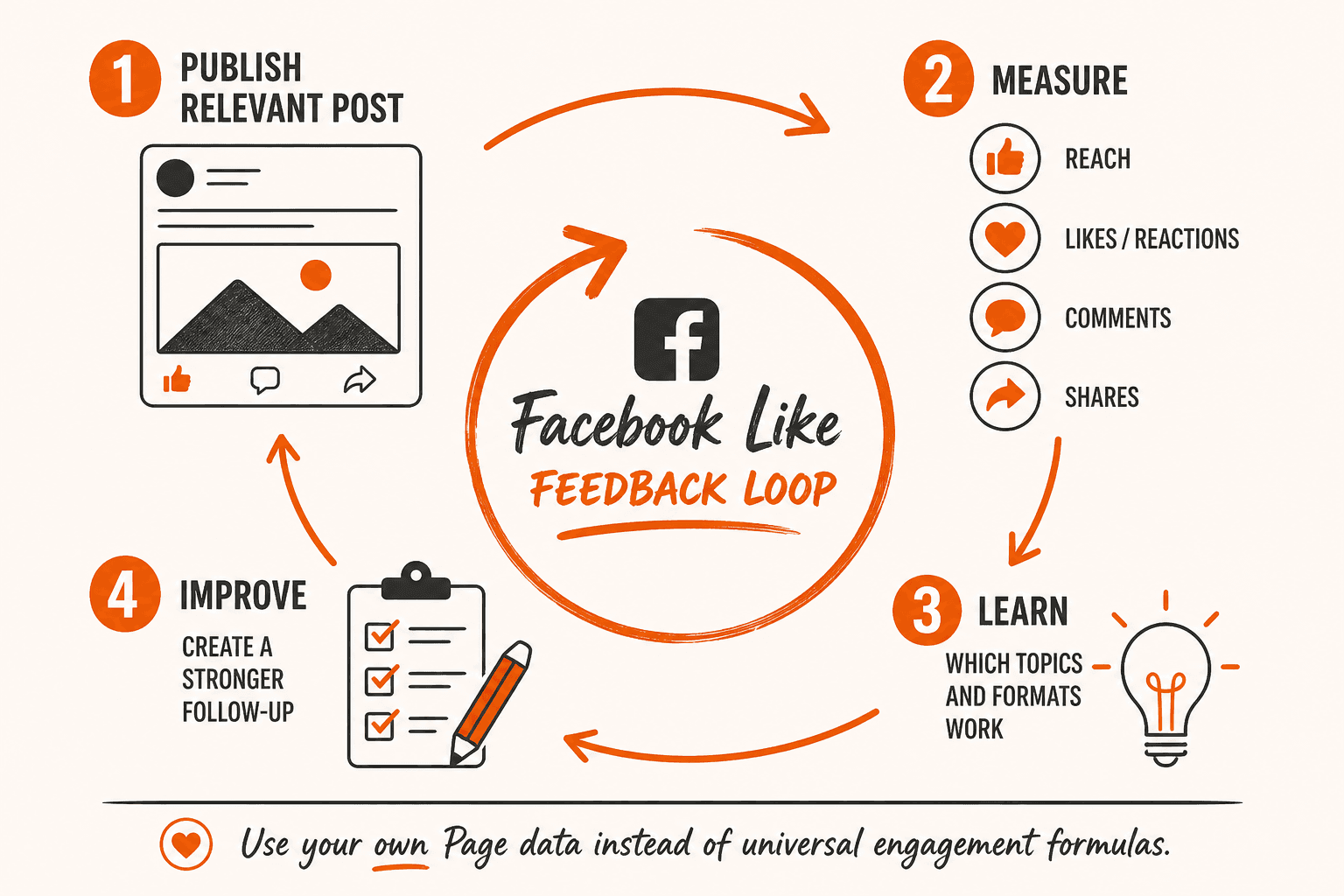
Reach Comes Before a Like Opportunity
A person generally needs an opportunity to encounter content before they can Like it.
That is why our earlier guide on how Facebook Page reach works is important.
Meta defines organic reach around people who had an unpaid Page post enter their screen, while post engagement is tracked separately. (Facebook)
So:
- Reach = visibility opportunity
- Like = one possible reaction
But do not turn this into “more reach guarantees more Likes.”
Two posts with the same reach can create completely different audience reactions.
Do More Facebook Followers Guarantee More Post Likes?
No.
A follower is connected to the Page and may see its updates in Feed, but Facebook does not guarantee every follower sees every post. (Facebook)
Followers and Post Likes are separate metrics.
A Page with 50,000 followers might publish one post with modest interaction.
A smaller Page might publish a highly relevant post that gets stronger reaction from the people who see it.
Follower count creates audience context.
It does not define how many people must Like an individual post.
If your priority is audience size rather than reactions on one post, use the companion guide to grow Facebook Page followers organically.
Do Facebook Page Likes Guarantee More Post Likes?
No.
A Facebook Page Like is a Page-level relationship.
A Post Like belongs to one individual post.
As explained in our guide to Facebook Followers vs Page Likes vs Post Likes, they should not be treated as the same metric.
The user still needs to encounter and choose to react to the individual post.
Organic Likes vs Facebook Post Like Services
Organic engagement and a Post Like service are separate concepts.
Organic Likes happen through your normal Facebook audience/content activity.
A Facebook Post Like service concerns one specific public Facebook post.
If someone wants to compare that option, Facebook Post Likes should be understood as a Post Like metric service rather than an organic-content strategy.
It should not be represented as a guaranteed method for:
- increasing organic reach,
- getting more followers,
- improving Feed ranking,
- creating comments,
- generating sales,
- or causing further organic engagement.
Do More Likes Make Facebook Show a Post to More People?
This needs careful wording.
Facebook's content-distribution systems can consider engagement signals when ranking content, but Facebook does not publish a universal rule such as 10 Likes equals 100 extra reach, or 100 Likes unlocking another audience tier.
Meta describes content distribution as involving multiple signals rather than a simple Like-count equation. (Facebook)
Therefore, Likes can be part of audience-response information.
But you cannot promise a fixed reach increase from a Like count.
That is especially important when describing paid third-party Post Like services.
Does Buying Facebook Post Likes Increase Organic Reach?
Do not promise that.
A paid third-party Like changes a visible Post Like metric.
Facebook controls its own content-ranking and distribution systems, and Meta's own documentation describes distribution as using multiple signals. (Facebook)
So NovaLikes should never state that buying Post Likes will push the post, that purchased Likes trigger organic reach, or that more Likes guarantee Suggested For You placement.
Those are different outcomes.
Should You Boost a Facebook Post Instead?
That's a different strategy.
Facebook officially offers boosted posts as a paid way for Page owners to reach more people and pursue objectives such as engagement or local-business promotion. (Facebook)
So there are three distinct concepts:
- Organic content strategy: create posts and earn normal audience interaction.
- Third-party Post Like service: changes a Post Like metric.
- Facebook Boost/Ads: Facebook's own paid distribution system.
Do not describe those as interchangeable.
If your actual goal is paid Facebook reach, Meta's own advertising/boosting products are the platform-supported route for purchasing distribution. (Facebook)
Should You Share Your Facebook Post Everywhere?
Sharing useful content through legitimate channels can create additional discovery.
But dropping a Page link into dozens of unrelated groups is not a sustainable content strategy.
Ask:
- Does this group allow promotional posts?
- Is the post relevant?
- Does it genuinely answer the discussion?
- Would I share it if I were not the business owner?
Relevance should decide.
Not “Where can I paste this link?”
Can Facebook Groups Help a Page Get More Likes?
Potentially, when participation is legitimate and relevant.
But the objective should be useful contribution first.
For example, a local landscaping Page might participate in a community discussion about lawn problems, local weather effects or garden maintenance when the group's rules permit it.
Simply posting “LIKE OUR PAGE” in unrelated groups is closer to spam than audience building.
Follow each group's current rules.
Do Hashtags Get More Facebook Likes?
Facebook hashtags can help categorize and connect posts around topics, but there is no public Meta rule saying five hashtags equal more Likes, or twenty hashtags increase reach.
So do not build the strategy around hashtag volume.
If a hashtag naturally helps identify the topic, use it.
If not, don't add fifteen unrelated hashtags simply because another social platform commonly uses them.
Does Posting at the “Best Time” Guarantee Likes?
No.
Meta does recommend looking at your own audience activity in Insights when deciding when to post. (Facebook)
That is useful.
But there is no universal Friday 6:30 PM equals maximum Likes for every business.
Test against your own:
- audience,
- country,
- industry,
- and content.
Are Photos Better Than Videos for Facebook Likes?
There is no universal winner.
Meta recommends using multiple content formats and current Page post guidance emphasizes clear, quality creative. (Facebook)
A before-and-after renovation might work best as images.
A product demonstration may need video.
A short observation may need only text.
The content should determine the format.
Then Insights tells you how your own audience responds.
Should You Hide a Post With Few Likes?
Not just because it has a low Like count.
A post can still:
- answer a customer question,
- appear in search/discovery contexts,
- receive comments,
- get clicks,
- generate enquiries,
- or serve an existing follower.
Ask what the post was designed to achieve.
If it is useful and accurate, a low Like total alone is not a sufficient reason to remove it.
Should You Delete and Repost to Get More Likes?
Repeatedly deleting and reposting the same content because its first result disappointed you is usually a poor learning process.
Instead ask:
- Was the topic relevant?
- Was the opening clear?
- Was the visual strong?
- Did people see it?
- Did the post receive reach but little engagement?
- Could the idea be explained differently next time?
Page Insights helps you investigate those questions. (Facebook)
Learn from the post rather than resetting the counter.
What If a Post Gets Reach but No Likes?
This is useful diagnostic information.
Possible interpretation:
- people saw the post,
- but few felt motivated to use that reaction.
Check:
- topic relevance,
- message clarity,
- visual quality,
- whether the post was overly promotional,
- whether the content promised something it did not deliver,
- and whether another form of engagement occurred.
Maybe the post had few Likes, but many link clicks.
If the objective was website traffic, that might still be useful.
One visible metric does not explain the entire post.
What If a Post Gets Likes but Little Reach?
That can mean the smaller audience that encountered the post responded well.
It doesn't automatically mean the post deserves massive distribution.
Nor does it mean anything is wrong.
Compare it with similar posts over time.
The interaction-to-reach relationship can help identify content that resonates with the audience it does reach, but avoid creating arbitrary universal benchmark percentages.
Your Page's own baseline is more valuable.
A Simple Facebook Post Formula Without the Fake Formula
There is no guaranteed algorithm formula.
But you can use a content-planning framework:
Audience
Who is this for?
Problem or Interest
Why would they care?
Clear Opening
What is the point?
Useful Content
Did the post deliver?
Appropriate Visual
Does the format support the message?
Natural Interaction Opportunity
Is there a genuine reason to react or discuss?
Review
What did Insights show?
That is a content framework.
Not an algorithm hack.
15 Facebook Post Ideas That Can Naturally Earn Engagement
Don't copy these blindly; adapt them to the Page:
- Answer a frequent customer question.
- Before-and-after result.
- Common mistake.
- Myth versus fact.
- Two-option comparison.
- Behind the scenes.
- Short tutorial.
- Local business update.
- Customer problem explained anonymously.
- Industry change explained simply.
- “What would you choose?” when both options are genuinely relevant.
- Product demonstration.
- Team expertise or process.
- Follow-up to a previous popular post.
- Useful checklist.
The common thread is: give the audience something to react to.
Not: ask for a reaction because you want a bigger number.
How to Review Your Facebook Posts Every Month
At the end of each month, look at your strongest and weakest posts.
Record:
- topic,
- format,
- reach,
- Likes/reactions,
- comments,
- shares,
- publishing time,
- and objective.
Facebook's Page Insights provides post reach and engagement data specifically to support this kind of performance review. (Facebook)
Then ask:
- Which topic repeatedly earned reactions?
- Which posts got reach but weak response?
- Which content created actual discussion?
- Which visual style worked?
- What questions appeared in comments?
- Which topic deserves another article, post or video?
Meta's own content guidance recommends learning from content that performs well and from discussions in the comments. (Facebook)
Getting More Facebook Likes Organically Is Mostly a Content Problem
There is no secret button hidden in Facebook settings that guarantees a particular Like total.
You cannot guarantee a reaction from another person.
What you can improve is:
- what you publish
- who it is for
- how clearly you present it
- when you publish it
- how you respond
- and how consistently you learn from the results.
Meta's current guidance aligns with that approach: create content the audience values, use clean creative, post at a frequency that makes sense, engage with people and use Insights to learn what works. (Facebook)
The most useful Facebook Like strategy is therefore: stop chasing Likes directly.
Create posts that give the right people a genuine reason to use them.
Key Takeaways
- Facebook Post Likes are one type of content interaction, not the same as Page followers or Page Likes.
- Meta recommends publishing content your audience actually wants to see.
- Meta recommends using Page Insights, considering audience activity, moderating posting frequency and responding to people.
- Facebook Page Insights can show post reach and post engagement.
- Meta says engagement bait can result in less distribution, so avoid artificial “Like this now” tactics.
- Meta's Page-post guidance emphasizes clear messaging and clean, recognizable creative.
- Facebook does not publish a simple formula where a specific number of Likes guarantees a specific amount of additional reach. Its distribution systems consider multiple signals.
- A third-party Post Like service should not be presented as a guaranteed method for increasing organic reach, followers, ranking or sales.
Frequently asked questions
How can I get more Likes on a Facebook post without paying?
Focus on topics your audience values, clear creative, appropriate publishing times, genuine conversation and reviewing Page Insights to see what repeatedly works. Meta's current Page guidance emphasizes these same areas.
Should I ask people to Like my Facebook post?
Avoid engagement-bait tactics whose main purpose is artificially forcing Likes, comments or shares. Meta says engagement-bait posts and Pages can receive less distribution. A genuine topic-specific question is different from repeatedly demanding interaction.
Does more Facebook reach mean more Likes?
Not necessarily. Reach and engagement are separate metrics in Facebook Page Insights. More people seeing a post creates more opportunities for interaction, but it does not guarantee a Like.
Do more Facebook followers guarantee more Post Likes?
No. Following a Page means users may see Page updates in Feed; it does not guarantee every follower sees or Likes every post.
What is the best time to post on Facebook for Likes?
There is no universal time. Meta recommends using Insights to see when your own audience is active, including accounting for different time zones.
Does buying Facebook Post Likes increase organic reach?
No guaranteed relationship should be claimed. Facebook's distribution systems use multiple signals, and Meta does not publish a rule stating that purchasing a number of Likes creates a specific organic-reach increase.
Should I boost a Facebook post if I want more reach?
Boosting is Facebook's own paid-distribution option and can be used to reach more people or pursue engagement-related objectives. That is a separate strategy from organic posting or third-party Like services.
Related guides
Facebook
Facebook Followers vs Page Likes vs Post Likes: What’s the Difference?
Facebook uses several similar-looking terms around Pages and posts: Followers, Page Likes and Post Likes.
Facebook
How Facebook Page Reach Works in 2026
A Facebook Page can have thousands of followers without every post reaching thousands of people.
Facebook
How to Get More Facebook Page Followers Organically
Getting more Facebook Page followers is not simply a matter of posting more often.
Explore Facebook Services
Compare the available NovaLikes options for Facebook post likes.
Explore Facebook Services