
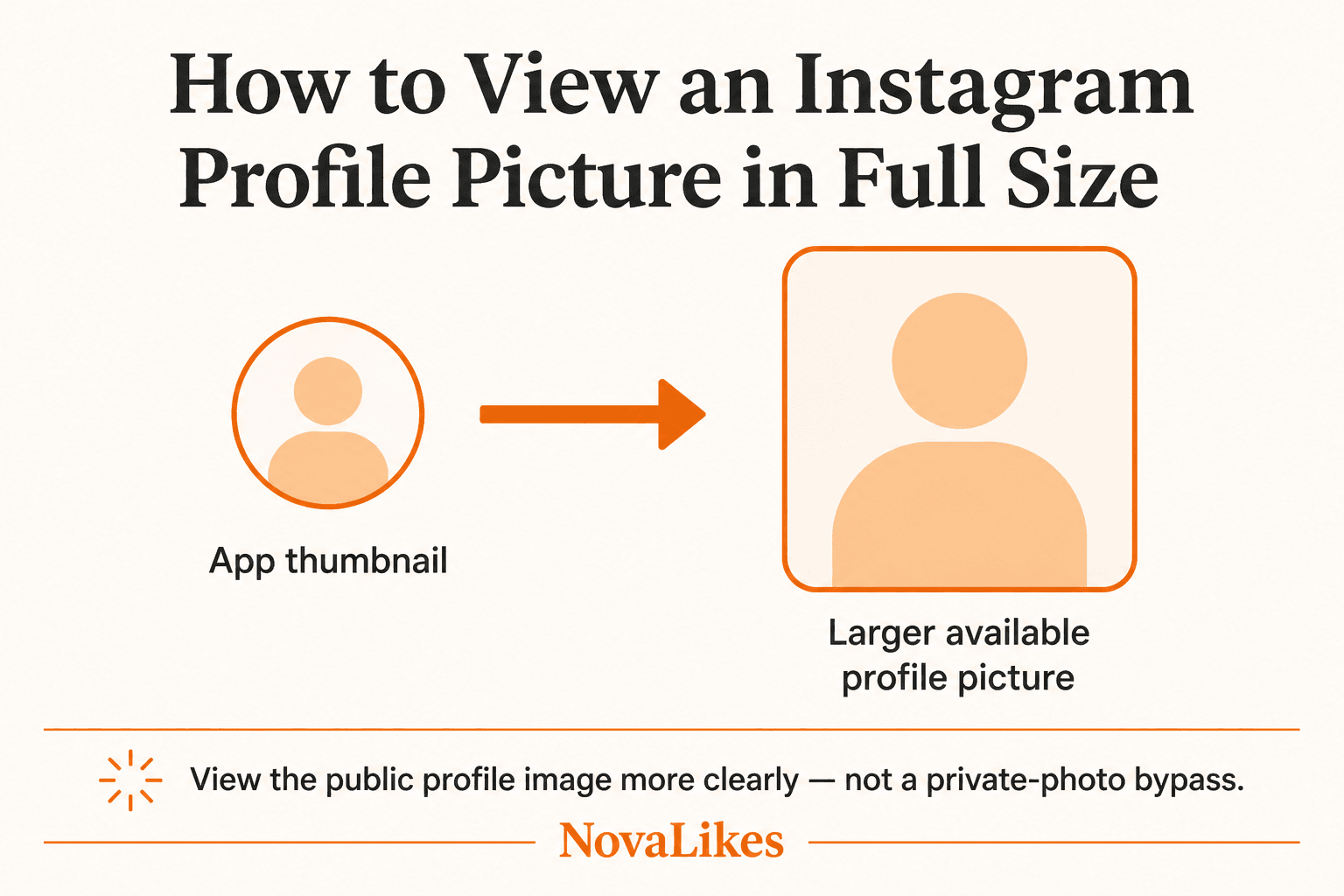
Instagram profile pictures are often displayed as relatively small circular images inside the app.
That can be inconvenient when you want to recognize an account, check whether you found the correct profile, see a logo more clearly, or simply view the profile image without the small circular presentation.
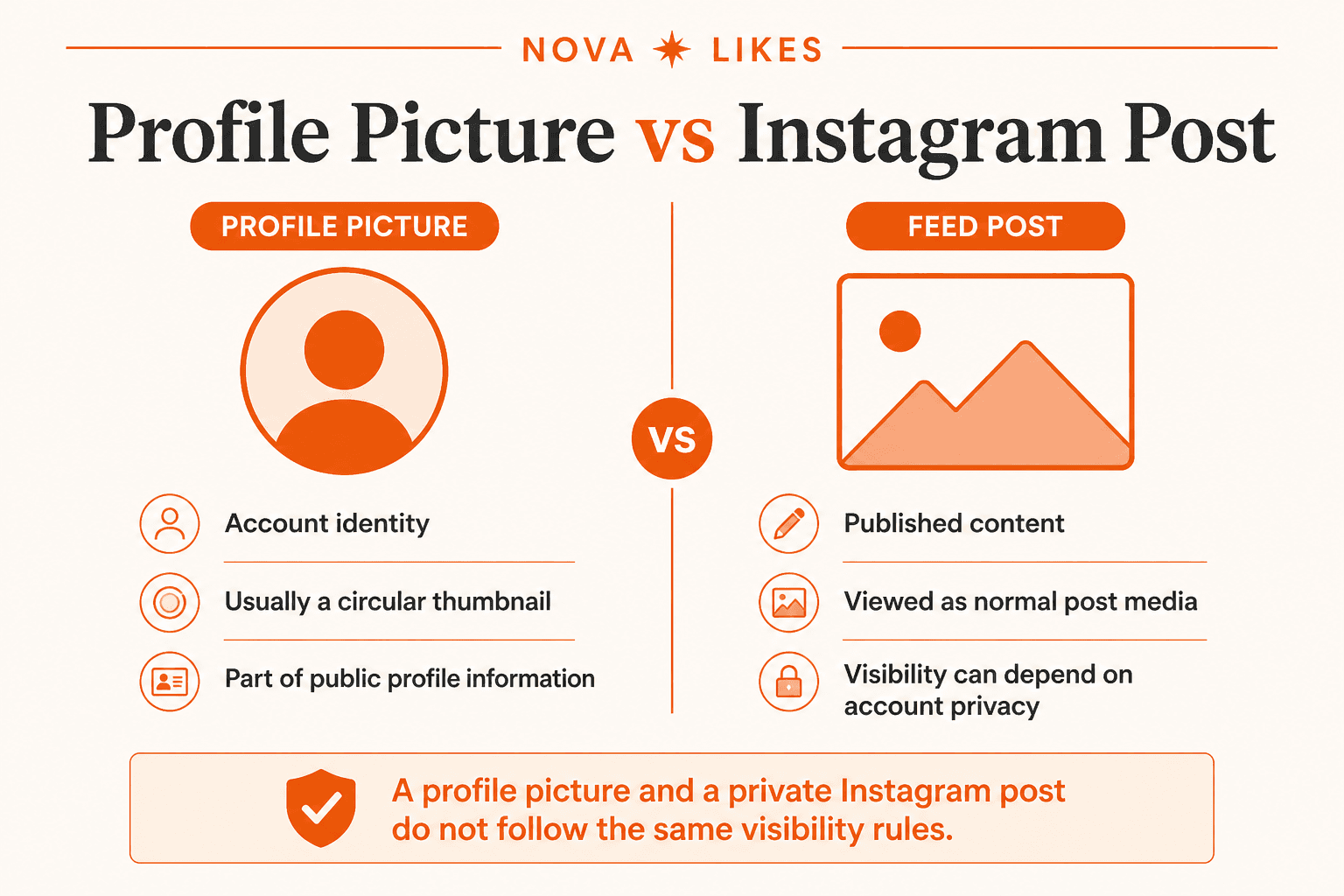
The first thing to understand is that an Instagram profile picture is different from the photos and videos someone publishes as posts.
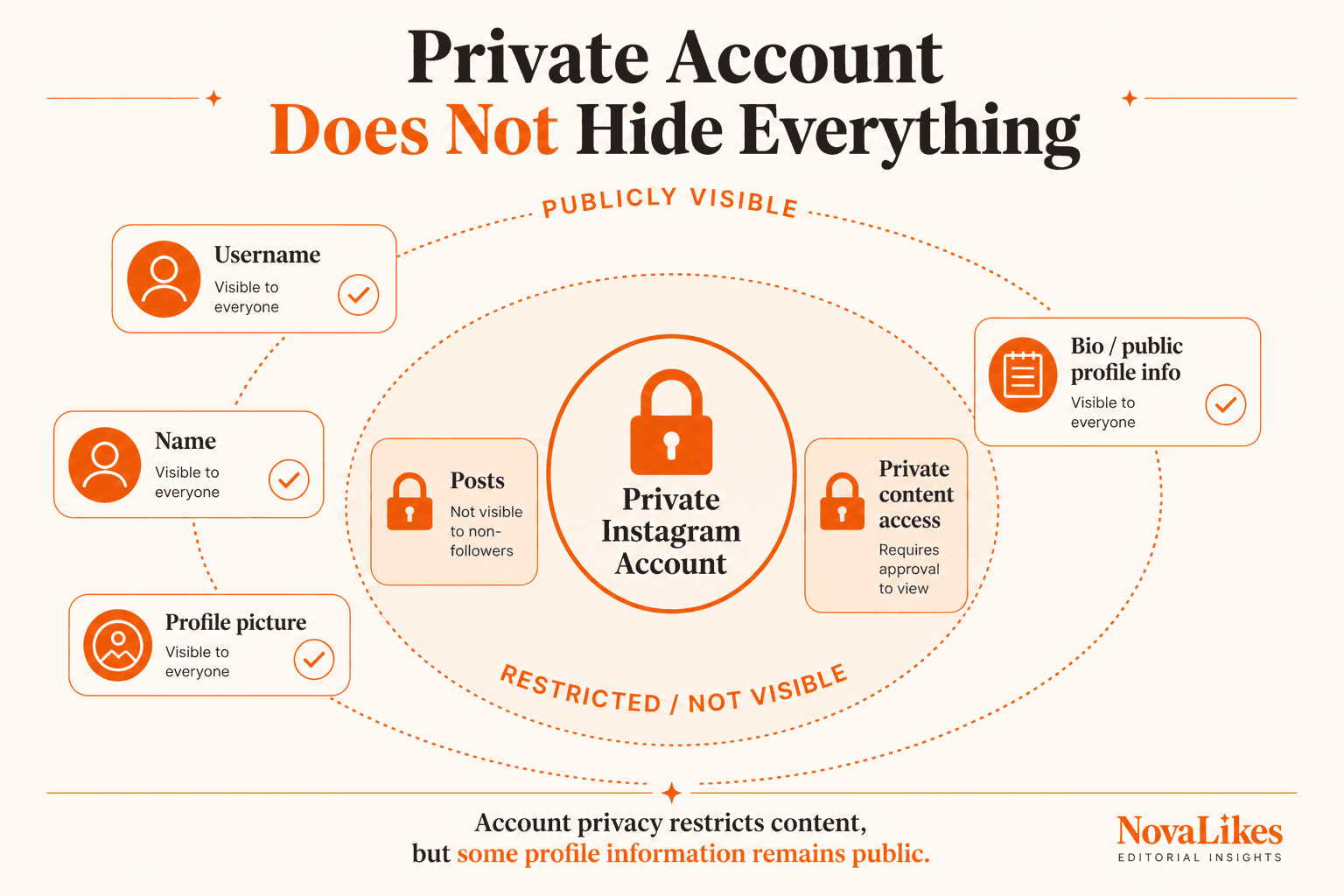
Meta currently says certain Instagram profile information is always public, whether the account itself is public or private.
That includes:
- name
- username
- profile picture
- bio
- links
- and follower/following counts.
Meta lists those items among the profile information anyone can see. (Facebook)
So making an Instagram account private does not make its profile picture private in the same way it restricts its posts.
That distinction is important if you're using a profile picture viewer.
The important distinction: a private account is not the same thing as a private profile picture.
At a glance
- Part of the account's public profile information
- Private-account posts stay restricted to approved followers
- Public-account posts can be viewed through the Instagram profile or web experience
- A profile-picture viewer can show the publicly available profile image at a larger size
- A private account is not the same as a private profile picture
Why Are Instagram Profile Pictures So Small?
Instagram uses profile pictures primarily as identity markers.
You see them:
- next to posts,
- beside comments,
- in Stories,
- in messages,
- and at the top of profiles.
In many of those places, the image is displayed as a small circular thumbnail rather than as a normal photo gallery item.
Instagram's official Help Center provides controls for adding or changing a profile picture through Edit Profile or Accounts Center. (Facebook)
But a profile picture is not presented in the same way as a standard Feed photo.
That's why users often look for a simpler way to inspect the available image at a larger size.
Can You View an Instagram Profile Picture in Full Size?
You can view the available profile-picture image at a larger presentation using a profile-picture viewing tool when the image is publicly retrievable.
The Instagram Profile Picture Viewer lets you enter an Instagram username and view the profile-picture media that is publicly available for that profile.
This is particularly useful when Instagram's ordinary interface displays the image too small for what you need.
Keep one limitation in mind: full size means the image version that is actually available from the profile or media source.
A viewer cannot manufacture image detail that never existed in the original uploaded or available image.
Do not expect 4K enhancement, an original camera file or unlimited-resolution recovery unless those things actually exist.
How to View an Instagram Profile Picture With NovaLikes
The process is simple.
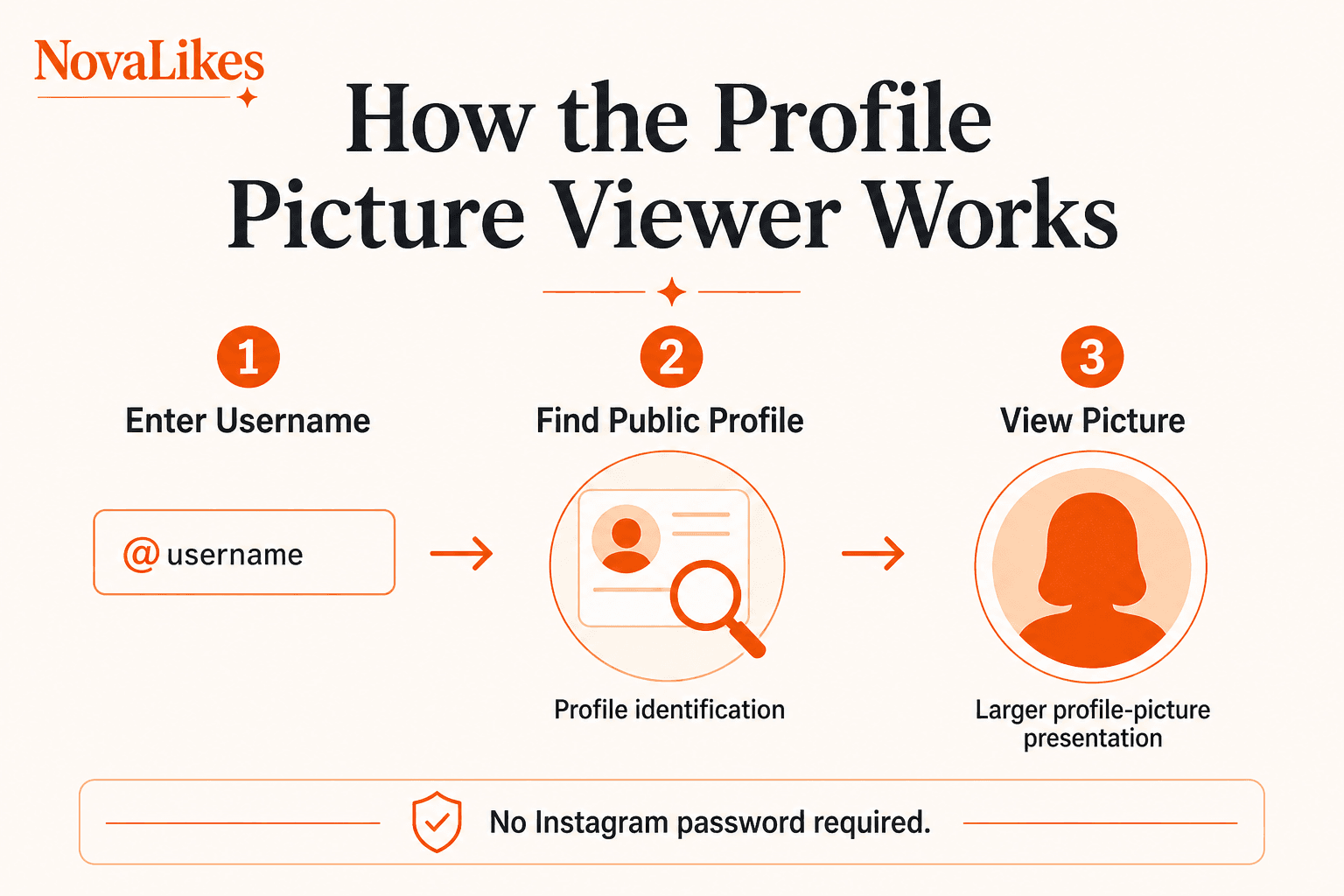
Step 1: Open the Instagram Profile Picture Viewer
Open the Instagram Profile Picture Viewer on NovaLikes.
Step 2: Enter the Instagram Username
Enter the profile username you want to check.
For example: instagram or nasa.
Use the username rather than guessing from a display name.
The current NovaLikes field also accepts a profile URL, with or without an @ on the username.
Step 3: Start the Search
Submit the username.
The tool checks the publicly available profile information for that account.
Step 4: View the Profile Picture
If the profile picture is available, the tool displays it in a larger, easier-to-view format.
No Instagram password should be required for this workflow.
Do You Need an Instagram Account to View a Profile Picture?
Meta says certain profile information is public to everyone on or off Instagram, even if they do not have an Instagram account. That public information includes the profile picture. (Facebook)
That means the profile picture itself should not be confused with account-only private post content.
However, Instagram can change web behaviour, rate limits, login prompts and public page presentation.
A third-party viewer should therefore be understood as a convenience interface around publicly accessible profile information, not as a way of bypassing private Instagram content.
Can You See a Private Instagram Account's Profile Picture?
Meta explicitly says certain profile information is always public for both public and private Instagram accounts, including the profile picture. (Facebook)
What changes with a private account is access to its posts and other restricted content.
Meta says private-account profiles and posts on the web are available to logged-in Instagram users whom the account owner has approved to follow them. (Facebook)
Our guide on public vs private Instagram accounts covers that post-visibility difference in more detail.
So the profile picture belongs to public profile information, while posts on a private account remain restricted to approved followers.
The NovaLikes viewer can display that picture only when Instagram actually exposes usable profile-picture media for the lookup. If Instagram does not expose it, the tool returns an error rather than bypassing private posts.
Can You View Private Instagram Posts With a Profile Picture Viewer?
No.
A profile-picture viewer should not be described as a private-account bypass.
Instagram's privacy rules restrict private-account posts to approved followers. (Facebook)
A legitimate profile-picture tool should not claim to unlock private photos, see private posts anonymously, bypass Instagram privacy or access hidden Stories just because the profile picture itself is public.
NovaLikes' Instagram Profile Picture Viewer is for the profile picture, not private post access.
Profile Picture Visibility vs Post Visibility
This is the main concept users need to understand.
| Instagram Element | Public or private behaviour |
|---|---|
| Profile picture | Public profile information |
| Username | Public profile information |
| Name | Public profile information |
| Bio | Public profile information |
| Private-account posts | Approved followers |
| Public-account posts | Publicly accessible |
Meta specifically lists profile pictures among information anyone can see, while account privacy separately controls access to private posts. (Facebook)
That is why a profile-picture viewer can work without needing access to somebody's private post library.
Does Making Instagram Private Hide Your Profile Picture?
No.
This is one of the most common misunderstandings.
Meta says profile pictures remain part of the information that anyone can see, including for private accounts. (Facebook)
Making your account private primarily changes who can see your posts and other protected account content.
If your privacy concern is that you do not want strangers seeing this particular profile image, the better solution is to change the profile picture itself rather than assuming a private account hides it.
Instagram lets users change their profile picture through Edit Profile or Accounts Center. (Facebook)
Can Someone See Your Instagram Profile Picture Without Following You?
Yes. Because Meta categorizes profile pictures as profile information that anyone can see, following the account is not required simply to see that profile picture. (Facebook)
This remains true even when the account is private.
A follow approval is required for restricted private content, not for every piece of basic profile information.
Can Someone See Your Instagram Profile Picture Without Logging In?
Meta's current Help Center says certain profile information is public to everyone on or off Instagram, including people who do not have an Instagram account. Profile picture is included in that list. (Facebook)
This does not mean Instagram guarantees the same website interface to every visitor at all times.
Instagram can still show login prompts, change its web experience or restrict certain interactions.
But the privacy classification of the profile picture itself is public.
Can You View Someone's Old Instagram Profile Pictures?
A standard current-profile-picture viewer should not be described as an archive.
The tool retrieves the current available profile picture.
Do not expect access to previous profile photos, deleted images, old avatars or profile-picture history unless the tool actually stores or obtains that information through a legitimate source.
NovaLikes does not create an archive of historical Instagram profile pictures for this tool.
Keep its purpose simple: view the current publicly available profile picture.
Can You View a Deleted Instagram Profile Picture?
If an account or image is no longer publicly available, a normal current-profile viewer cannot guarantee recovery.
The tool should not be treated as a deleted-content recovery service, an Instagram archive or a forensic image-retrieval tool.
It works with what is presently available from the public profile.
Can You View the Original Uploaded Instagram Profile Photo?
Be careful with the word original.
Instagram users can upload a profile photo, and Instagram may process that image for its own platform use. Meta's official profile-picture documentation explains how users upload or change the profile photo but does not promise third parties access to the creator's untouched original camera file. (Facebook)
So use available profile picture or larger profile picture rather than promising the exact untouched original file.
That is more accurate.
Why Does the Profile Picture Look Blurry?
Several things can affect perceived image quality.
The user may have uploaded a small image, a heavily compressed image, a cropped image or an image containing very fine detail that does not display well as a profile thumbnail.
Instagram also presents profile pictures at relatively small sizes throughout much of the product.
A larger viewer can make the available image easier to inspect.
It cannot recreate missing detail that was never present in the available image.
Do not expect AI-enhanced original quality unless a separate enhancement process is actually being used. This viewer does not invent missing pixels.
Can You Zoom an Instagram Profile Picture?
Instagram's ordinary profile presentation is designed around the profile avatar rather than a traditional image-gallery experience.
A profile-picture viewer solves this more cleanly by presenting the available profile image separately so it can be viewed more comfortably.
This is also better than taking a screenshot of a tiny avatar and enlarging the screenshot.
Enlarging a small screenshot does not restore missing detail.
Screenshot vs Profile Picture Viewer
Suppose the profile picture appears as a 100-pixel-looking circle on your screen.
You could take a screenshot, crop it, then enlarge it.
But you're enlarging the pixels already displayed on the screen.
A profile-picture viewer instead attempts to use the available profile-image source rather than merely magnifying your screenshot.
That can produce a much more useful result when a larger available version exists.
Again: a larger available image is not magically restored original camera quality.
Why Would Someone Need to View a Profile Picture Larger?
There are several legitimate reasons.
Confirming an Account
You may be trying to determine which similarly named profile belongs to a business, creator, friend or organization.
Viewing a Business Logo
Company profile logos can be difficult to inspect inside Instagram's small circular avatar.
Checking Branding
A social media manager may want to review logo clarity, cropping or visual consistency.
Accessibility
A larger image may simply be easier to see.
Researching a Public Brand Profile
Profile imagery can help distinguish official and unofficial accounts.
The important condition is to use public information responsibly.
Can You Download an Instagram Profile Picture?
When Instagram exposes the public image, the NovaLikes viewer can offer a download of that available file.
But viewing or downloading a publicly visible image does not transfer ownership or usage rights.
Do not assume publicly visible means free to reuse commercially.
Copyright, publicity, trademark and other rights can still apply depending on the image and intended use.
For ordinary identification or viewing, that distinction may not matter.
For republishing, consider whether you have permission.
Is It Anonymous to View an Instagram Profile Picture?
Do not make an absolute privacy promise such as completely anonymous and impossible for anyone to know.
The profile-picture viewer does not need to log into the target person's account or interact with their private content simply to retrieve publicly available profile information.
But websites still operate normal infrastructure such as network requests, server logs, security controls and rate limiting.
So the safe product wording is: no Instagram login is required for the profile-picture viewing workflow.
Not: completely untraceable forever.
Does Instagram Notify Someone When You View Their Profile Picture?
Instagram's Help Center documents profile information as publicly viewable and does not describe ordinary profile-picture viewing as an interactive notification action in the way features such as following or commenting are interactive actions. (Facebook)
However, do not oversell this as Instagram can never know anything about profile visits.
Instagram has various account and interaction systems that can evolve.
For NovaLikes, the more defensible statement is that the tool does not require you to follow, message or interact with the target profile simply to view the available profile picture.
Does Viewing a Profile Picture Send a Follow Request?
No.
Viewing public profile information and requesting to follow a private account are separate actions.
A follow request requires an explicit follow action.
A profile-picture viewer should not follow the user, Like content, send a message or change anything on their account.
The tool should remain read-only.
Does the Profile Owner Need to Approve You?
Not for the profile picture itself.
Meta says the profile picture belongs to Instagram information that anyone can see. (Facebook)
Approval becomes relevant when trying to access private-account content that Instagram restricts to approved followers. (Facebook)
So the profile picture does not require follower approval, while private posts do.
Does the Tool Work for Business Instagram Accounts?
If a public Instagram business or professional profile exposes a standard profile picture, that profile picture can be handled like other publicly visible profile-picture information.
Instagram professional accounts also display public-facing profile information and can include additional professional features. Meta documents professional accounts separately, including their public-facing category information. (Facebook)
This makes the viewer useful for logos, brand avatars, creator headshots and other public profile images.
Does the Tool Work for Private Instagram Accounts?
The key factor is whether the profile picture itself is publicly available, not whether the post library is private.
Meta explicitly says profile pictures are part of public profile information for public and private accounts. (Facebook)
The NovaLikes lookup still depends on Instagram exposing usable media. Private, hidden or login-gated profiles can return an error instead of an image.
If Instagram does not expose usable media for a particular request at that moment, the tool should return an honest error rather than fabricate an image.
What If the Instagram Username Does Not Exist?
A viewer should return a clear error.
It should not invent a profile, show somebody else's picture or guess the closest username as though it were the requested account.
Check the spelling carefully.
Instagram usernames can look very similar.
For example, brandname and brand_name can belong to completely different accounts.
What If Someone Changed Their Username?
Use the account's current username.
A profile-picture viewer is not meant to be a historical username lookup service.
If you enter an old username that no longer resolves to the account, the tool may be unable to find the profile.
Find the current profile first.
Then enter its current username.
Username vs Display Name
These are different.
Display Name
Can be something like NovaLikes Social.
Username
Could be novalikes.
The username identifies the profile URL and account more precisely.
For a profile viewer, use the username.
Do not rely on the display name because many accounts can use similar or identical names.
What Profile Information Is Always Public on Instagram?
Meta currently lists several items as information anyone can see.
These include:
- name
- username
- profile picture
- bio
- links
- follower count
- following count
- Threads username in applicable cases
- and channels someone has created or joined, where applicable.
Meta includes those items in the public-profile list. (Facebook)
That applies even when the account is private.
This does not make private posts public.
It means Instagram maintains a public profile layer around the account.
Public Profile Information Does Not Mean Everything Is Public
This distinction is essential.
If an Instagram account is private, its private content remains restricted according to Instagram's privacy rules. Meta says private profiles and posts on the web are visible to logged-in users approved to follow the account. (Facebook)
Therefore a public profile picture does not imply public private-account Reels, public private posts, public Stories or permission to bypass the account's follower controls.
A legitimate tool should stay within the public profile layer.
Profile Picture Viewer vs Instagram Profile Viewer
NovaLikes has separate tool concepts because they answer different questions.
Instagram Profile Picture Viewer
Focus: view the profile picture.
Instagram Profile Viewer
Focus: review publicly available profile information.
Do not combine every function into one page just because both tools start with an Instagram username.
Separate search intent is useful for users and SEO.
Profile Picture Viewer vs Instagram Follower Counter
These also serve different purposes.
Profile Picture Viewer
Visual identity.
Follower Counter
Public follower-count information.
A person who wants to know how many followers an account shows has a different task from someone who wants to see this account's profile photo larger.
Keep those jobs on separate tools rather than turning this article into a tool directory.
View an Instagram Profile Picture
This article has strong direct tool intent, so the next step is the free viewer rather than a follower package.
Is the Instagram Profile Picture Viewer Free?
NovaLikes' profile-picture viewer is part of the site's free tools.
There is no free trial, credit pack, premium unlock or API key required for the normal web workflow.
The tool remains aligned with the existing self-hosted NovaLikes tools system.
Do You Need an API Key?
No user-facing API key should be needed to use the tool.
The user simply enters the supported public-profile identifier into the interface.
Do not expect to need RapidAPI, Meta developer access, Instagram credentials or a browser extension.
The experience should remain simple.
Do You Need to Install Anything?
No separate browser extension or desktop program should be necessary for the normal NovaLikes web tool.
Open the tool.
Enter the username.
View the result.
That simplicity should be one of the main usability benefits.
Should You Log In With Your Instagram Password?
Not for this use case.
A profile-picture viewer based on publicly available profile information should not require the user's Instagram password.
Be cautious with unrelated tools that unnecessarily ask you to enter your Instagram password, provide a verification code or authorize suspicious account access just to view public profile information.
For the NovaLikes tool: no Instagram password required.
Can You Use the Tool on Mobile?
The web tool should work through the normal responsive NovaLikes interface on supported mobile browsers.
The use case is simple: copy username, open viewer, paste username, view image.
No separate mobile app is necessary.
NovaLikes does not currently advertise a dedicated iOS or Android app for this lookup.
How to Find the Correct Instagram Username
Open the person's Instagram profile.
Look at the username associated with the account.
For example, a profile display name might be NASA while the username is nasa.
Enter nasa into the viewer.
Do not enter a random hashtag, post caption or unrelated URL unless the tool explicitly supports those formats.
Can You Use an Instagram Profile URL Instead?
The current NovaLikes viewer accepts a username or an Instagram profile URL.
That includes usernames with or without @, and Instagram profile addresses.
It is still a profile lookup, not a post or Stories downloader.
Do not paste a post URL or Reel URL expecting the tool to open that post.
Does Profile-Picture Viewing Affect the Account's Follower Count?
No.
Viewing publicly available profile information does not itself create a follower.
Likewise, it does not unfollow, Like, comment or modify the profile.
The viewer is a utility tool.
It should not be confused with NovaLikes' separate Instagram follower packages.
Does It Help You Gain Instagram Followers?
No direct growth promise should be made.
Viewing a profile picture is a utility function.
It does not guarantee more followers, better reach, Explore placement, Reels distribution, likes or engagement.
The tool solves one task: view the available Instagram profile picture more clearly.
Keep the positioning that simple.
What Makes a Good Instagram Profile Picture?
If you're viewing your own profile picture and deciding whether to replace it, remember that profile pictures are often displayed at small sizes.
That means designs generally benefit from clear subjects, simple shapes, good contrast, recognizable branding and avoiding tiny text.
For a business logo, a mark that remains recognizable inside a small circle usually works better than a detailed landscape logo squeezed into the avatar.
Instagram lets you replace the profile image through Edit Profile or Accounts Center. (Facebook)
Use the profile-picture viewer to inspect how your available image looks more closely, then make branding decisions from there.
How to Change Your Instagram Profile Picture
Instagram's current workflow includes:
- Go to your profile.
- Open Edit profile.
- Choose Edit picture or avatar.
- Select or upload the image you want.
- Save the change.
Instagram also allows profile-picture changes through Accounts Center. (Facebook)
If your profile picture looks blurry or poorly cropped, uploading a better source image is usually more useful than repeatedly enlarging the existing one.
Can Instagram Use the Same Picture as Facebook?
Meta's profile-picture documentation says Instagram can let users import the same picture they are already using for their Facebook profile when updating the Instagram profile photo. (Facebook)
Meta also provides profile-syncing features through Accounts Center. (Facebook)
This can help people who want consistent branding across Meta accounts.
But syncing is optional depending on how you've configured Accounts Center.
Can Search Engines See an Instagram Profile Picture?
Meta says certain profile information can be public on or off Instagram, and it separately explains that search engines can process publicly visible Instagram profile information under their own systems. (Facebook)
That does not mean every profile picture is guaranteed to appear in Google Images.
Search indexing is controlled by the search engine and Instagram's current technical exposure.
The safe statement is that public profile information can be accessible beyond the Instagram app.
Not that every Instagram profile image is indexed by Google.
Is Viewing Someone's Public Profile Picture a Privacy Bypass?
No, not when the tool only displays profile information Instagram itself classifies as public.
Meta explicitly says profile pictures are among the items anyone can see. (Facebook)
A privacy bypass would involve attempting to access information that the account owner has restricted, such as private posts without approval.
That is not what a legitimate profile-picture viewer should do.
Use Public Information Responsibly
Public visibility does not mean there are no boundaries.
Don't use someone else's profile photo for impersonation, deceptive accounts, harassment or misleading commercial representation.
If you're using another person's or company's image beyond simple viewing or identification, make sure your use is legitimate.
The tool exists to make a publicly visible profile image easier to view.
That is enough.
How to View an Instagram Profile Picture in Full Size: Simple Version
Use this process:
- Find the Instagram username
- Open the NovaLikes Instagram Profile Picture Viewer
- Enter the username
- Fetch the publicly available profile picture
- View the larger available image
That's it.
You don't need to follow the account, ask for access to private posts, provide an Instagram password or install a browser extension.
And because Instagram treats the profile picture as public profile information, an account being private does not by itself hide the profile picture. (Facebook)
Key Takeaways
- Instagram profile pictures are part of the profile information Meta says anyone can see, including for private accounts.
- Private-account posts remain restricted to approved followers; a public profile picture does not make private posts public.
- Instagram lets users add or change their profile picture through Edit Profile and Accounts Center.
- A profile-picture viewer should work with public profile information rather than claiming to bypass private Instagram content.
- Full size should refer to the larger image version actually available; do not promise an untouched original camera file or manufactured resolution.
- No Instagram password is required for the NovaLikes profile-picture viewing workflow.
- Viewing a profile picture does not automatically follow, Like, message or otherwise modify the target account.
Frequently asked questions
Can I view an Instagram profile picture in full size?
You can use a profile-picture viewer to display the profile-picture image that is publicly available for an Instagram account in a larger, easier-to-view format. The available resolution depends on the image Instagram or the profile source exposes.
Can I see the profile picture of a private Instagram account?
Meta says profile pictures are among the profile information anyone can see for both public and private accounts. Private posts remain restricted separately. A viewer can still only show the image if Instagram exposes usable media for that lookup.
Does someone need to accept my follow request before I can see their profile picture?
No. The profile picture is part of public Instagram profile information. Follow approval applies to restricted private-account content.
Can I view an Instagram profile picture without logging in?
Meta says certain profile information, including the profile picture, is public to people on or off Instagram, even if they do not have an Instagram account.
Can an Instagram Profile Picture Viewer show private posts?
No. A legitimate profile-picture viewer should only handle the profile image and public profile information. Instagram restricts private posts to approved followers.
Do I need to give NovaLikes my Instagram password?
No. The NovaLikes Instagram Profile Picture Viewer uses the public profile information required for the tool and does not require your Instagram password.
Can I see someone's old Instagram profile pictures?
The current NovaLikes viewer should be described as viewing the current available profile picture, not as a historical archive of deleted or previous profile photos.
Why is an Instagram profile picture blurry when enlarged?
The available source image may be small, compressed or heavily cropped. Enlarging it cannot restore detail that is not present in the available image.
Related guides
Instagram
Public vs Private Instagram Accounts: What Changes for Followers and Reach?
Making an Instagram account private changes much more than whether strangers can immediately see your posts.
Instagram
How to View a Public Instagram Profile Without Logging In
Sometimes you simply want to check publicly available information about a public Instagram profile without creating an account or signing in.
Instagram
Instagram Followers vs Likes vs Views vs Comments: What Each Metric Means
Open an Instagram profile or Reel and several different numbers can appear important at the same time.
View an Instagram Profile Picture
Enter an Instagram username to view the profile picture available from its public profile information. No Instagram password is required.
Open Profile Picture Viewer