
How to View a Public Instagram Profile Without Logging In
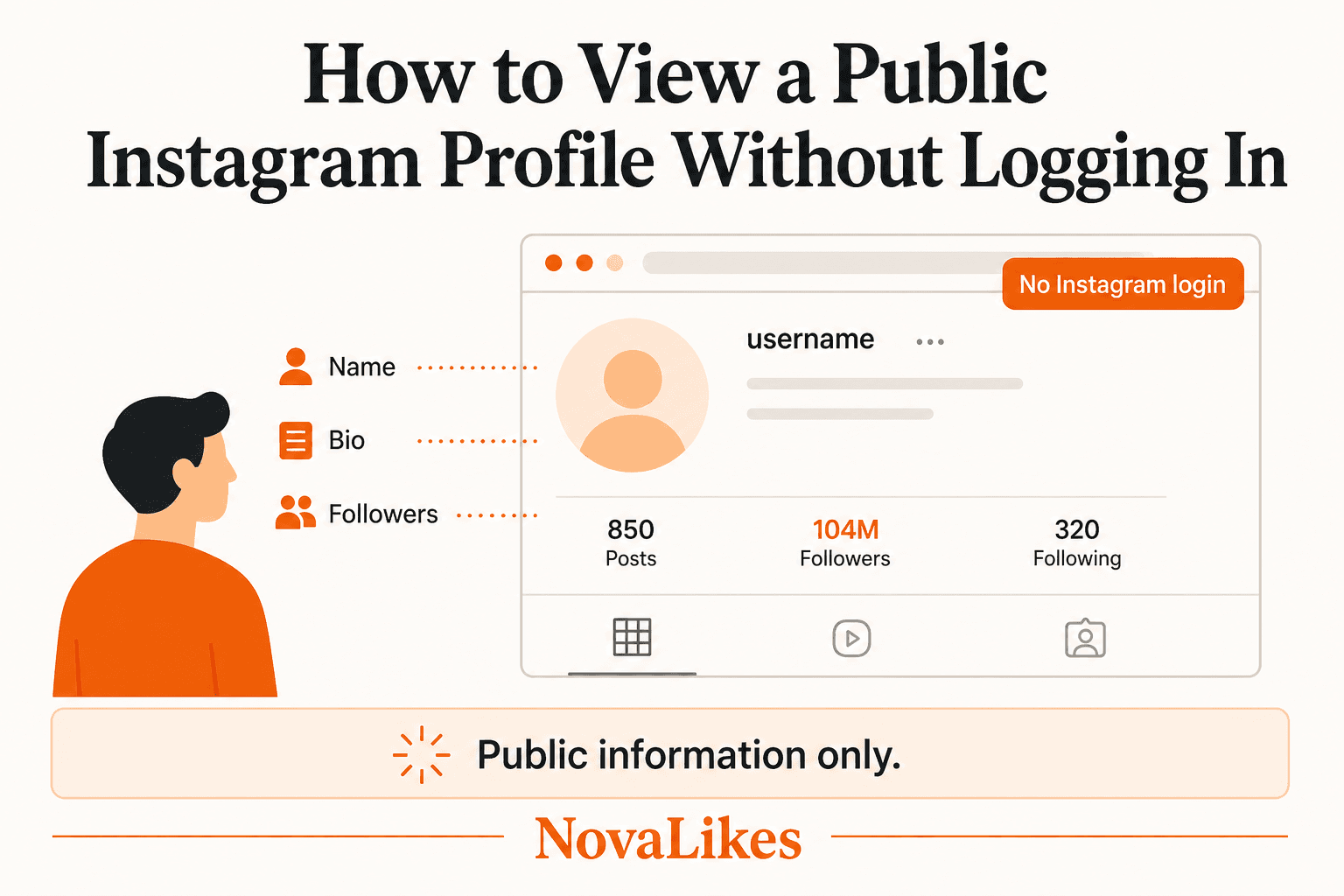
Sometimes you simply want to check publicly available information about a public Instagram profile without creating an account or signing in.
On this page
Yes, you can view a public Instagram profile without logging in. Instagram treats basic profile information as public, and anyone can open a public account's web address. What no tool can do is show a private account's posts, Stories or follower list without the owner's approval.
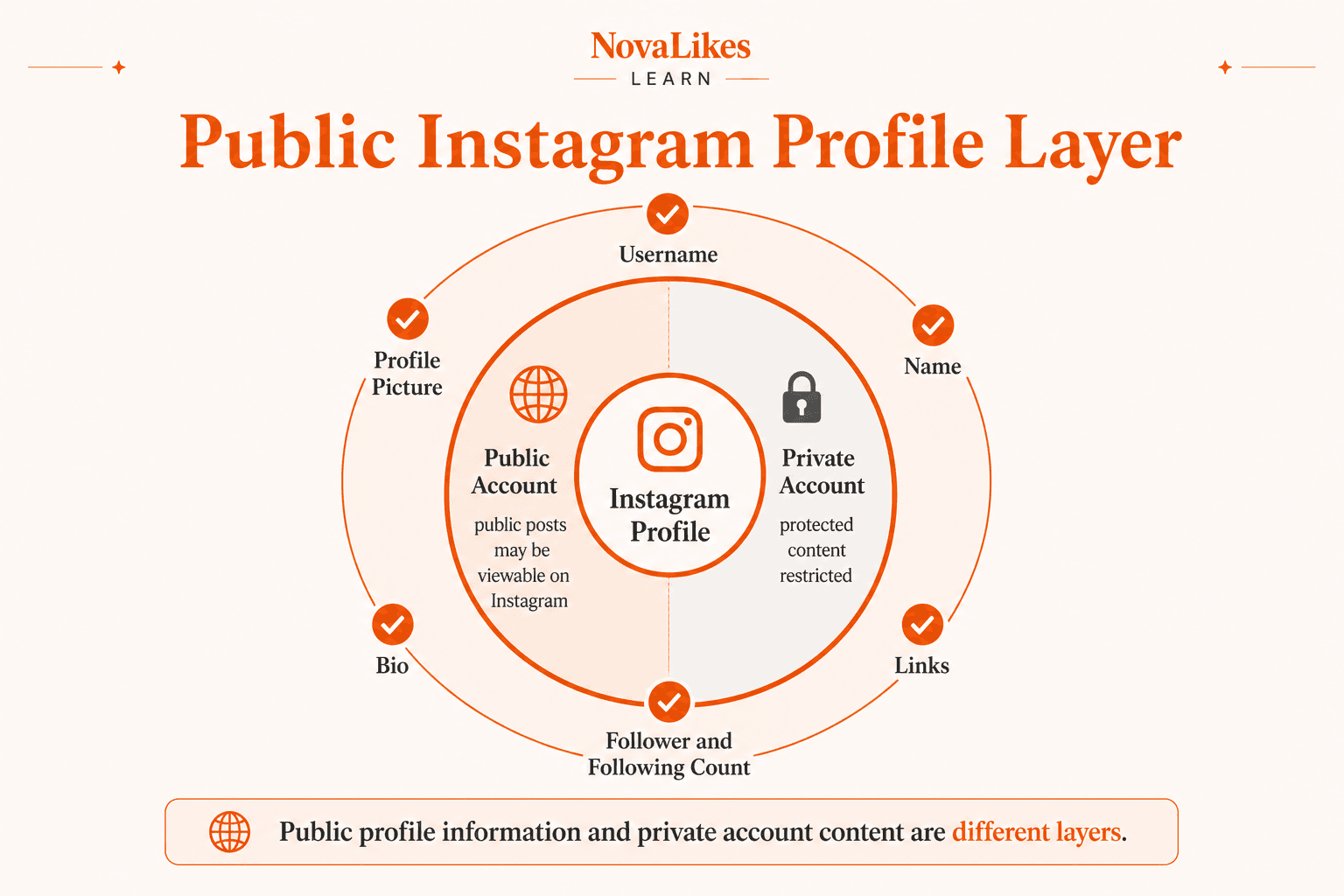
Meta says information including a user's name, username, profile picture, bio, links and number of followers and following is public to everyone on or off Instagram, including people who don't have an Instagram account. (Instagram Help Center)
For public accounts, Meta also says anyone can view the profile and its public posts by visiting the account's Instagram web address. (Instagram Help Center)
The Instagram Profile Viewer checks the public identity snapshot Instagram already shows: photo, name, bio and published count labels when those fields are exposed. It does not list posts, Stories or Highlights, and it does not unlock private-account content.
No Instagram password is required, and the rule is simple: a public-profile viewer is for public information, not a private-account unlocker.
At a glance
- A public Instagram profile and its public posts can be viewed through the account web URL
- Name, username, profile picture, bio, links and follower or following numbers are public profile information
- Private-account posts, Reels and Stories stay restricted
- NovaLikes checks publicly available profile information the tool supports
- No Instagram password is required for the public-profile viewing workflow
What Instagram Profile Information Can You See Without Logging In?
People who search for this usually want to check a username, see a profile picture, read a public bio, check a follower count or see public posts. Those tasks are different from logging into somebody else's account, accessing private posts, seeing restricted Stories, reading DMs or bypassing follower approval.
Meta currently lists several profile fields as information anyone can see:
- Name
- Username
- Profile picture
- Bio
- Links
- Number of followers
- Number of accounts followed
Some other profile-related information can also appear depending on the account and features.
Even a private account keeps this public-facing layer. Private does not mean nothing about the account exists publicly; account privacy mainly controls access to protected content and related account experiences. (Instagram Help Center)
What Can You See on a Public Instagram Account?
Meta says that if an Instagram account is public, anyone can see its profile and posts through its Instagram web URL, which is instagram.com plus the username.
Public profiles, posts and Reels can also be embedded on other websites when embedding is enabled. (Instagram Help Center)
Public does not automatically mean embeddable everywhere, though. Meta says users with public accounts can turn off the setting that lets external websites embed their profile and content. (Instagram Help Center)
The Profile Viewer still focuses on the public identity snapshot. It does not become a full post archive just because Instagram itself can show public posts on the web. An embed places Instagram content inside another page, a profile viewer presents public-profile information, and a downloader saves supported public media; each answers a different question.
Why Does Instagram Ask You to Log In?
Instagram controls its own web interface, which Meta's Help Center documents at instagram.com.
Even though certain profile information is classified as public, Instagram can still decide how much browsing it shows before login, how pages load and which interactions need an account. It can change login prompts, rate limits and page presentation, and no outside tool can stop it showing its own prompts. What you can rely on is narrower: certain public profile information can be viewed without an Instagram login.
How to View an Instagram Profile Without Logging In
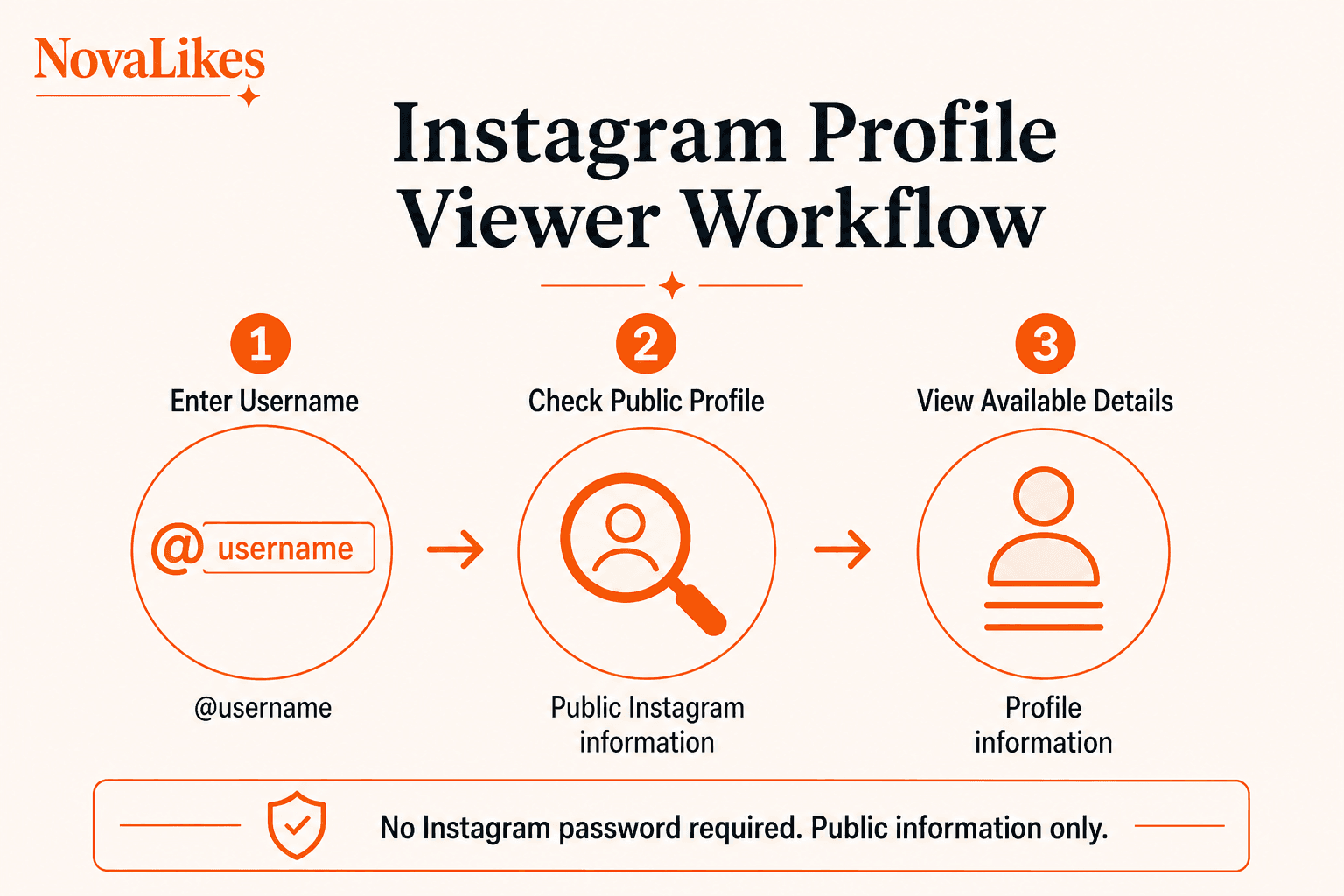
- Find the account's username, such as nasa, rather than relying only on the display name NASA.
- Open the Instagram Profile Viewer.
- Enter the username, with or without the @ sign, or a public profile URL.
- Run the check.
- Review the available profile details.
Depending on what the public source currently exposes, you can review the photo, display name, username, biography and published Followers, Following and Posts labels when Instagram includes them. No Instagram password should be required.
Instagram Search helps users discover accounts, topics and other content when you are not sure which account you want. If you already know the username, a direct lookup is simpler.
If Instagram does not expose usable public data for that profile, the tool shows an error instead of guessing.
Can You View a Private Instagram Profile Without Logging In?
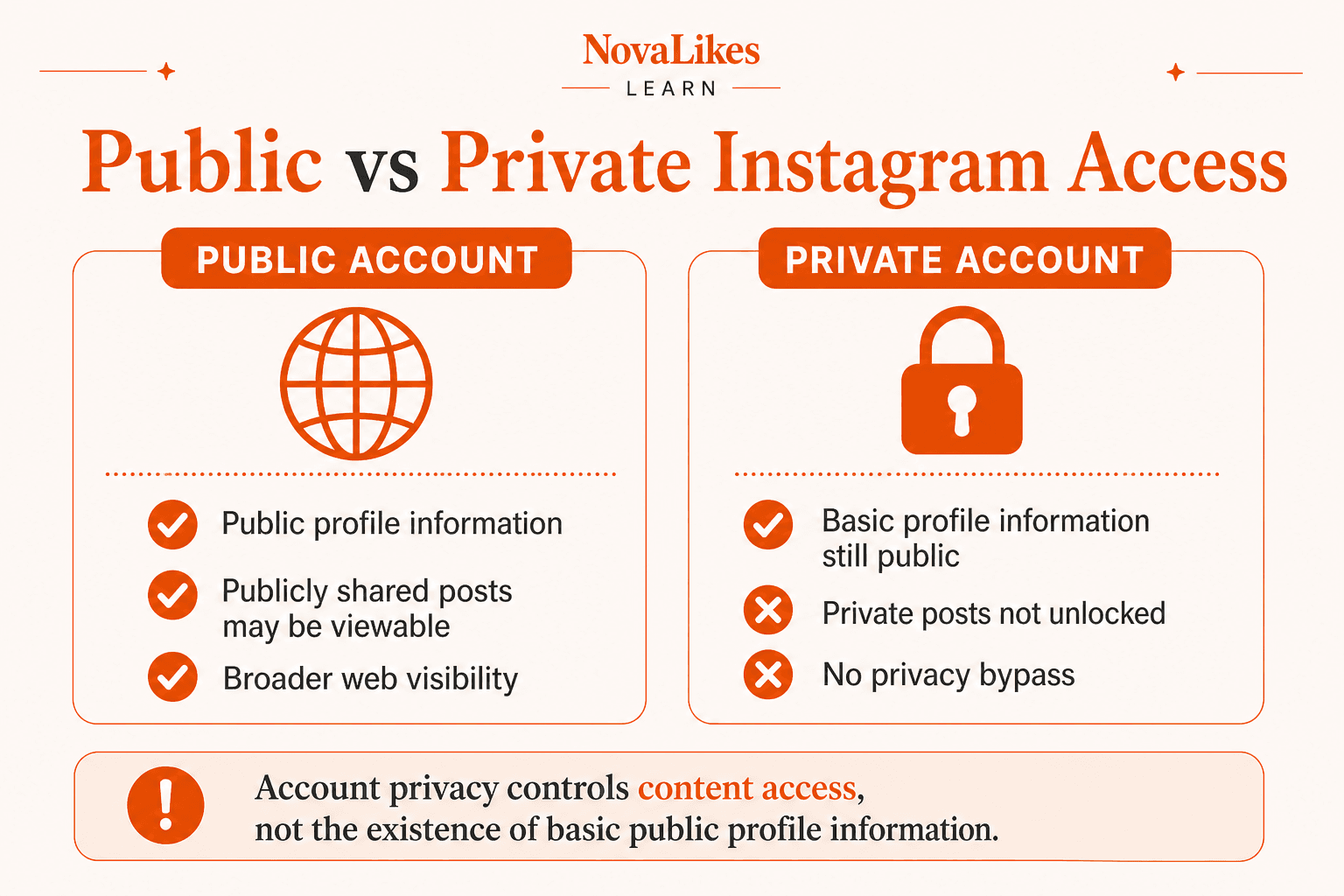
Only its basic profile information. Meta says the username, name, profile picture, bio, links and follower or following counts remain visible regardless of account privacy.
So private means content access is restricted rather than the profile becoming invisible, and the account's protected posts do not become available. Instagram's privacy settings exist specifically so users can restrict who sees their posts, Reels and Stories.
The Profile Viewer currently checks public profiles Instagram already exposes. Private, hidden or login-gated profiles can return an error instead of a snapshot.
| Layer | Public account | Private account |
|---|---|---|
| Name, username, picture, bio, links | Public | Public according to Meta |
| Follower and following numbers | Public | Public according to Meta |
| Posts, Reels and Stories | Public posts may be viewable | Restricted to approved followers |
| Profile Viewer result | Public snapshot when exposed | Can error if Instagram does not expose the profile |
Our guide to public vs private Instagram accounts covers the same distinction in more detail.
Can an Instagram Profile Viewer Unlock Private Posts?
No. No legitimate profile viewer can show private posts, unlock private Reels, reveal hidden Stories, skip follow requests or open a private account. If you want to see private-account content, the legitimate route is to send a follow request and wait for the account owner to approve it.
The same applies to other account controls. If another user has blocked your Instagram account, the viewer is not a way around that decision, and it does not get around age limits either. Meta has documented that certain profile or content visibility can depend on age restrictions.
Can You See a Private Account's Profile Picture and Follower Count?
Yes. Both are on the list of information Meta says anyone can see, even for private accounts.
A visible count is not the follower list, though. You may see that an account shows 25K followers, or an abbreviated label such as 104M on a large account, without being able to browse the people behind that number. The Profile Viewer does not show that list.
If you only want the picture, shown larger, use the Instagram Profile Picture Viewer. Our guide on how to view an Instagram profile picture in full size covers that workflow.
If you only need a follower number, the Instagram Follower Counter is a quicker, focused check, and our guide explains how to check an Instagram follower count without logging in.
Can You View an Instagram Profile Anonymously?
Instagram's public profile-information documentation does not describe ordinary profile viewing as an action that sends the profile owner a visitor notification.
That is not the same as anonymity. Be wary of any tool that promises to be 100% anonymous and untraceable, because a website still involves network connections, server requests, security systems and ordinary operational logs. No website can honestly promise that nobody will ever know.
What NovaLikes can say is narrower: no Instagram password is required, and the viewer is read-only. It does not use your Instagram account, and it does not follow, send a follow request, Like, comment on or message the profile you check, so the follower count stays the same.
The tool also works in one direction only. It looks up a profile and cannot show who viewed yours, so be cautious with any tool that claims it can.
Should an Instagram Profile Viewer Ask for Your Password?
No. The viewer does not log into Instagram for you and does not ask for your Instagram password, two-factor authentication code, session cookie, backup code or login approval. If all you want is information Meta categorizes as public, there is no reason to hand over those credentials, and doing so puts your account security at risk.
Can You View Instagram Posts, Reels or Stories Without Logging In?
Sometimes, on Instagram itself. For public accounts, Meta says public posts can be visible through the account's web profile.
Instagram's no-login behaviour varies, so not every Reel will play without an account, and Stories and Highlights have their own visibility rules. The Profile Viewer covers none of them. It returns the profile snapshot only, and it is not a post archive, Story viewer or download-all-media tool.
If you want to download a public Instagram video or Reel, use the separate Instagram Video / Reels Downloader where supported. The Profile Viewer does not download media.
Can You View Business, Creator or Celebrity Profiles?
Yes, if they are public. Business accounts can also display additional public business information and action buttons depending on their setup.
The viewer has no special celebrity database, verification system or extra access; it checks every public username the same way. That makes it useful for confirming you found the right brand profile or reviewing a public bio, links and profile picture.
What Can't a Public Profile Viewer Tell You?
Basic public information has limits. The viewer gives no fake-account score, bot probability or trust rating. A similar username, brand logo or large follower count is not the same as official verification, so check for a verified badge on Instagram itself. A profile viewer can show supported public information, but it cannot work out whether someone's identity is genuine.
At a basic level, public information is enough to review a competitor's bio positioning, profile naming, links or broad profile presentation. The viewer cannot show another account's Instagram Insights, sales estimates, audience demographics or engagement data. Those are account-owner analytics, not part of a public profile.
Finally, visibility is not ownership. A public profile picture, brand logo, photo or Reel does not become your property, and copyright, trademark and personality-right issues may apply if you republish or reuse it.
Why Does the Profile Viewer Show an Error?
The tool shows Profile not found or another clear error rather than guessing a near-match or making up details. Possible reasons include:
- the username is incorrect,
- the profile was removed,
- the account changed usernames,
- Instagram changed its page response,
- the request was temporarily blocked,
- or the expected public data was not exposed.
These cases look similar from the outside, and an error does not automatically mean the account is private. When Instagram changes how it exposes public information, lookups can fail for a while; the tool shows an error rather than filling the gap with made-up details, because an honest error is more useful than a wrong result.
Lookups work only with a current username or public profile URL. Display names are not unique in the same way: the display name NASA is different from the username nasa, and another account could use NASA Fan. The tool does not search by real name, email address or phone number, keep username history or old snapshots, or recover deleted profiles and posts. If you only know a name, find the account on Instagram first.
What the Profile Viewer Does and Doesn't Do
- It is free, with no paid version, trial, signup or NovaLikes account.
- It needs no Meta API credentials, developer tokens or third-party login.
- It checks one username or profile URL at a time, with no bulk monitoring or scraping.
- It shows the profile as it is at that moment and does not track changes over time.
If Instagram's public web profile already gives you exactly what you need, use Instagram. The viewer is meant for a quick, focused lookup, not as a replacement.
View a Public Instagram Profile
If you want to check a profile now, the free Instagram Profile Viewer is the next step.
Frequently asked questions
Can I view an Instagram profile without logging in?
Certain Instagram profile information is public even to people who aren't logged into Instagram. Meta says information such as username, profile picture, bio, links and follower or following numbers is public on or off Instagram.
Can I view a public Instagram account without an account?
Meta says anyone can view a public Instagram profile and its public posts through the profile's web URL. The exact unauthenticated Instagram web experience can change, but the profile itself is public.
Can I view a private Instagram profile without following it?
Meta classifies some basic profile fields as public even on private accounts, but private-account content remains restricted. The Profile Viewer checks public profiles Instagram already exposes, and a private or login-gated lookup can return an error.
Can an Instagram Profile Viewer show private posts?
No. The viewer is not a private-content bypass. Private-account content remains subject to Instagram's privacy settings.
Do I need an Instagram password to use NovaLikes Profile Viewer?
No. The public-profile lookup does not require your Instagram password.
Can I see a private account's profile picture?
Meta lists profile pictures among information that remains public even when an account is private. A lookup still only succeeds when Instagram exposes usable public data.
Can I check a private account's follower count?
Meta lists the number of followers and following as public profile information. This does not mean the full follower list is publicly accessible.
Does Instagram notify someone when I view their public profile?
Meta's public profile-information guidance does not describe ordinary profile viewing as an action that sends a profile-visitor notification. Even so, no website can promise that a visit is completely untraceable.
Can I view Instagram Reels without logging in?
Public Reels can form part of Instagram's public web content, and Meta allows public Reels to be embedded when embedding is enabled. However, Instagram's no-login web experience can vary, so not every Reel is guaranteed to play without an account.
Can the Profile Viewer show deleted Instagram profiles?
No. The tool does not recover deleted or historical profiles. If the current public profile is unavailable, it shows an error.
Related guides
Public vs Private Instagram Accounts: What Changes for Followers and Reach?
Going private on Instagram limits your posts to approved followers, removes you from recommendations to non-followers and switches off Insights. Here is what changes and how to choose.
How to View an Instagram Profile Picture in Full Size
Instagram profile pictures are often displayed as relatively small circular images inside the app.
How to Check an Instagram Follower Count Without Logging In
Sometimes you only need one piece of information from an Instagram profile: how many followers does this account have?
View a Public Instagram Profile
Enter an Instagram username to check the public profile information currently available for that account. No Instagram password is required.